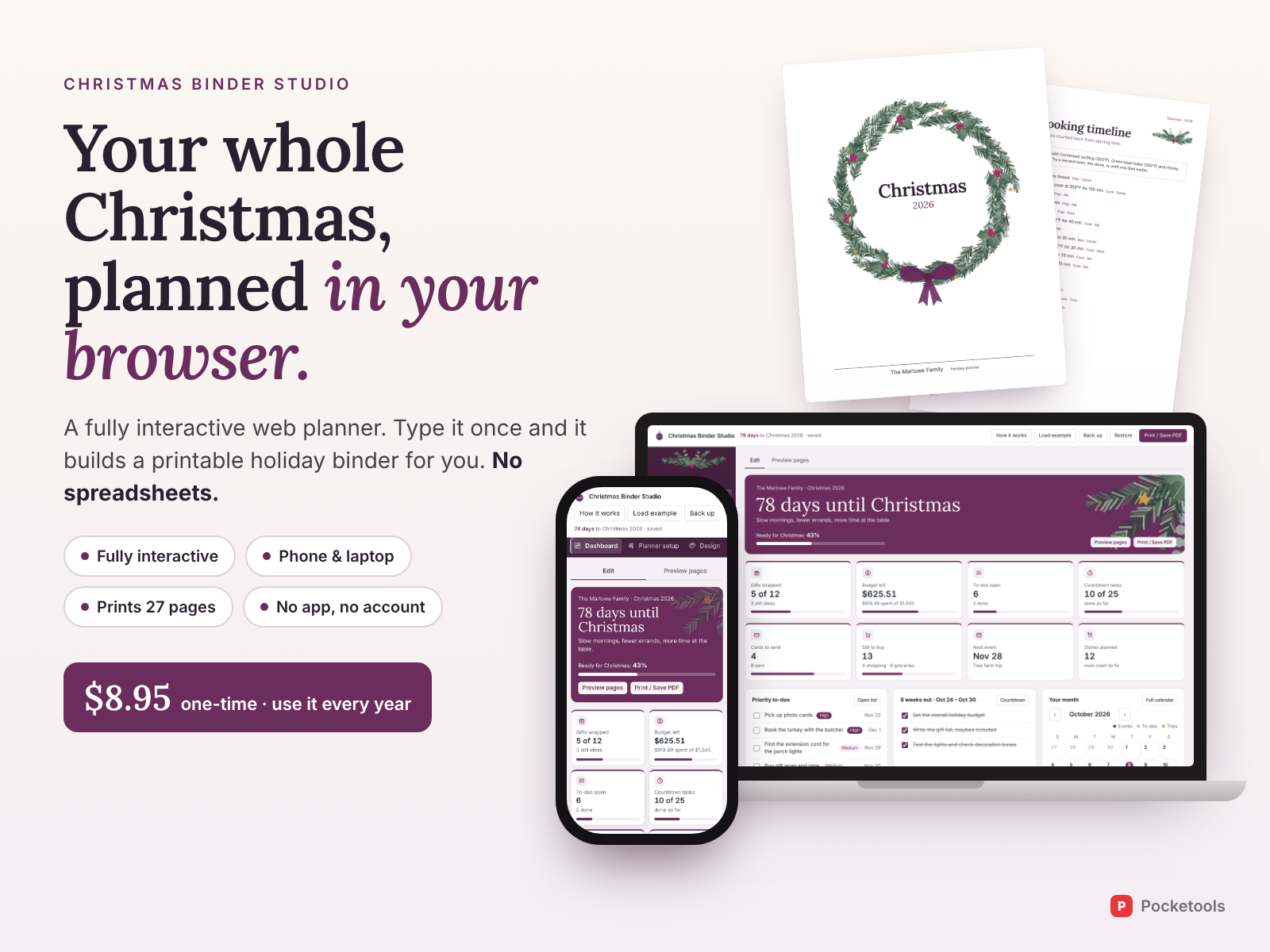
Type your Christmas plans once. Print the whole binder.
Gifts, budget, cards, guests, menus and the big-day cooking timeline in one file you open in your browser. It lays out a matching, illustrated planner with your family name on every page.
- Works on your phone
- Nothing to install
- One-time price
See it in action
A short clip of the real tool.
What's inside
Every part of the tool, with real screenshots.
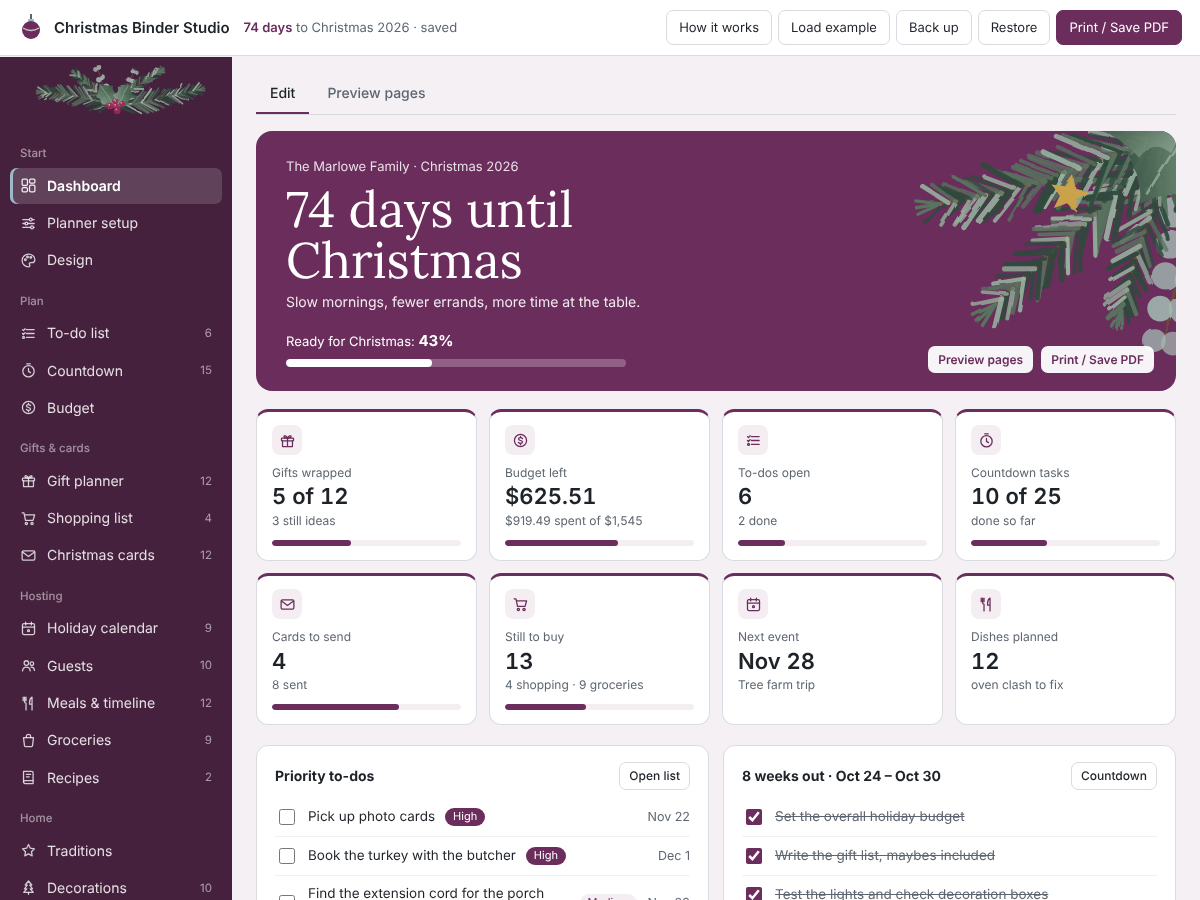
A dashboard that keeps score
Days to go, how ready you are, gifts wrapped, budget left, cards to send and what's still to buy. Tick things off right there, and see this week's countdown jobs and priority to-dos.
Gift list and ready-to-cut tags
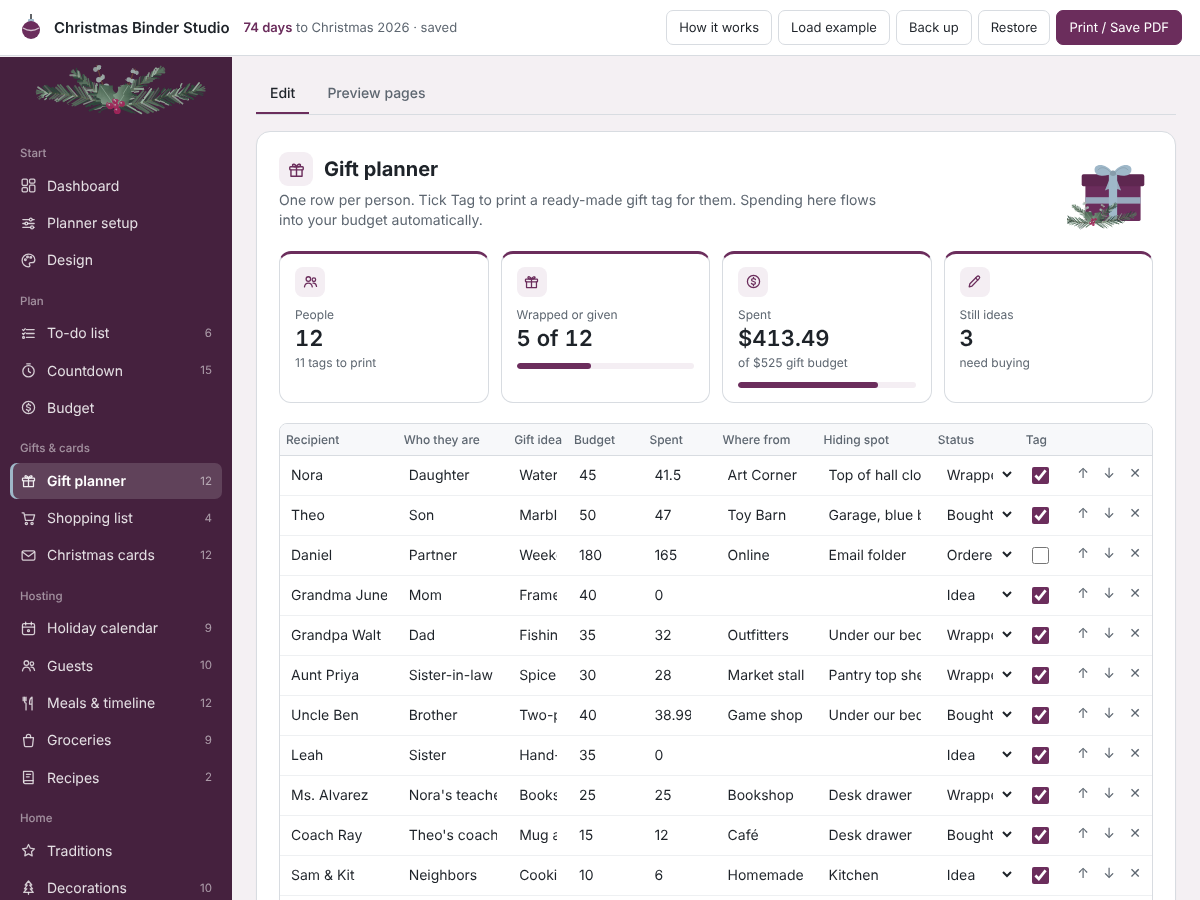
One row per person: the idea, budget, spent, where from, hiding spot and status. Tick Tag and their gift tag prints with the name already on it. Spending flows into the budget.
A cooking timeline that works backwards
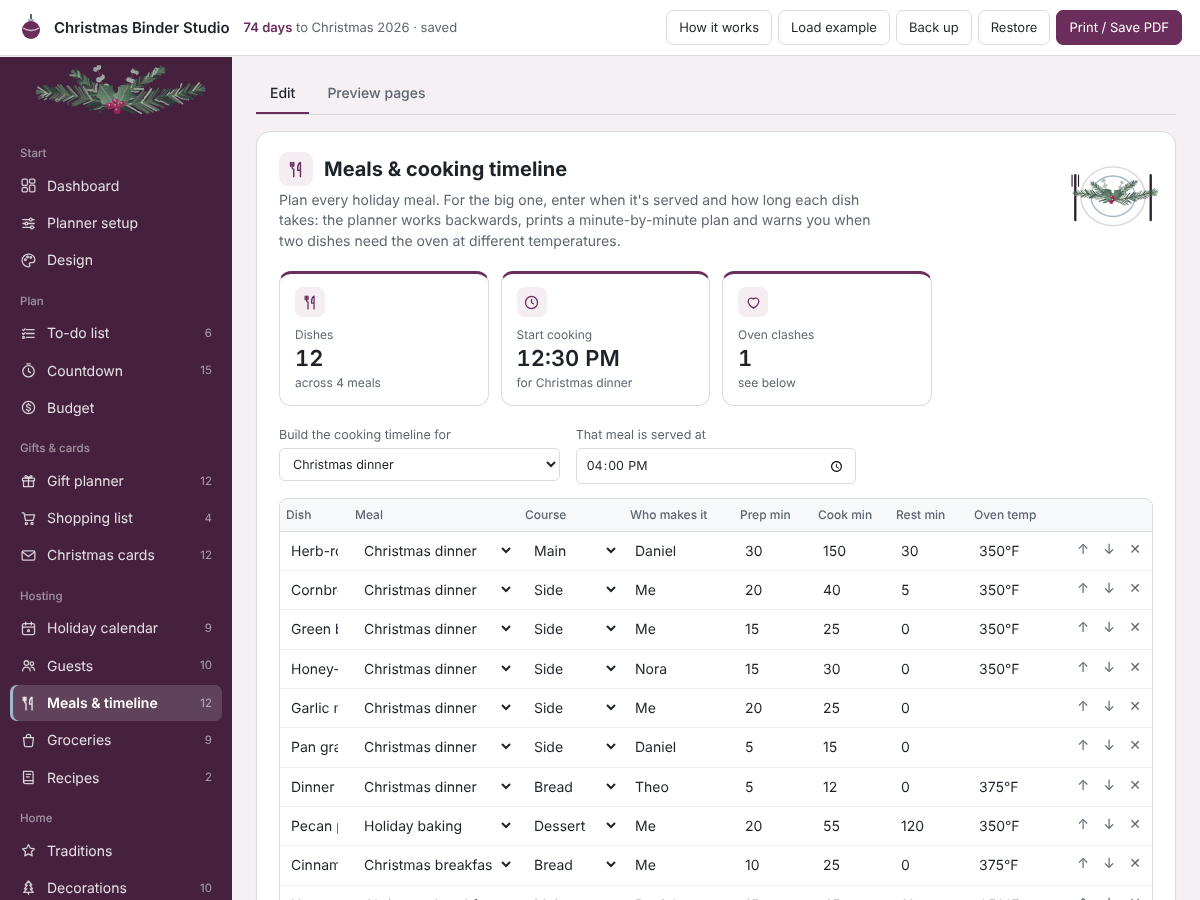
Enter when dinner is served and how long each dish takes to prep, cook and rest. It prints a minute-by-minute plan for the day, and warns you if two dishes need the oven at different temperatures at the same time.
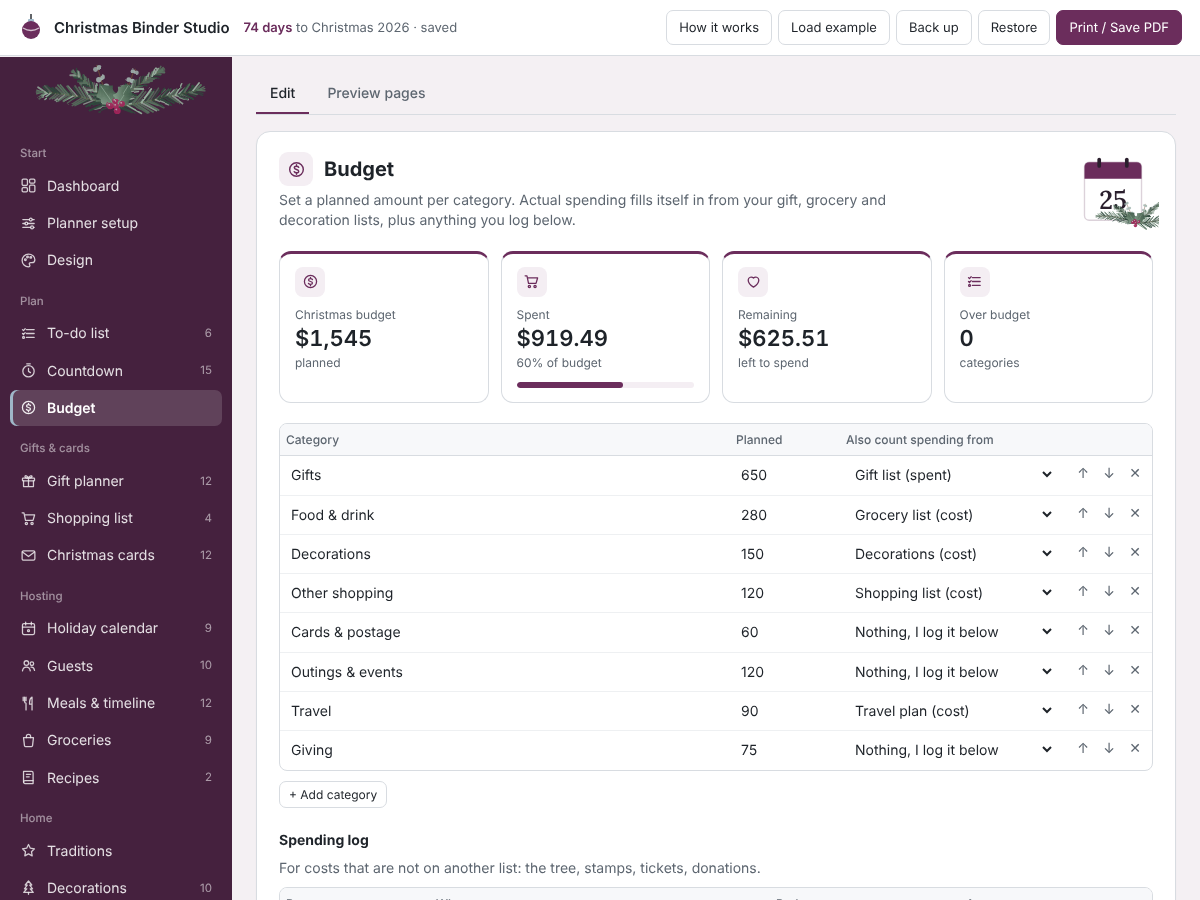
A budget that fills itself in
Gifts, groceries, decorations, shopping and travel add up from their own lists. Log the extras like the tree or stamps, and see planned against spent for each category.
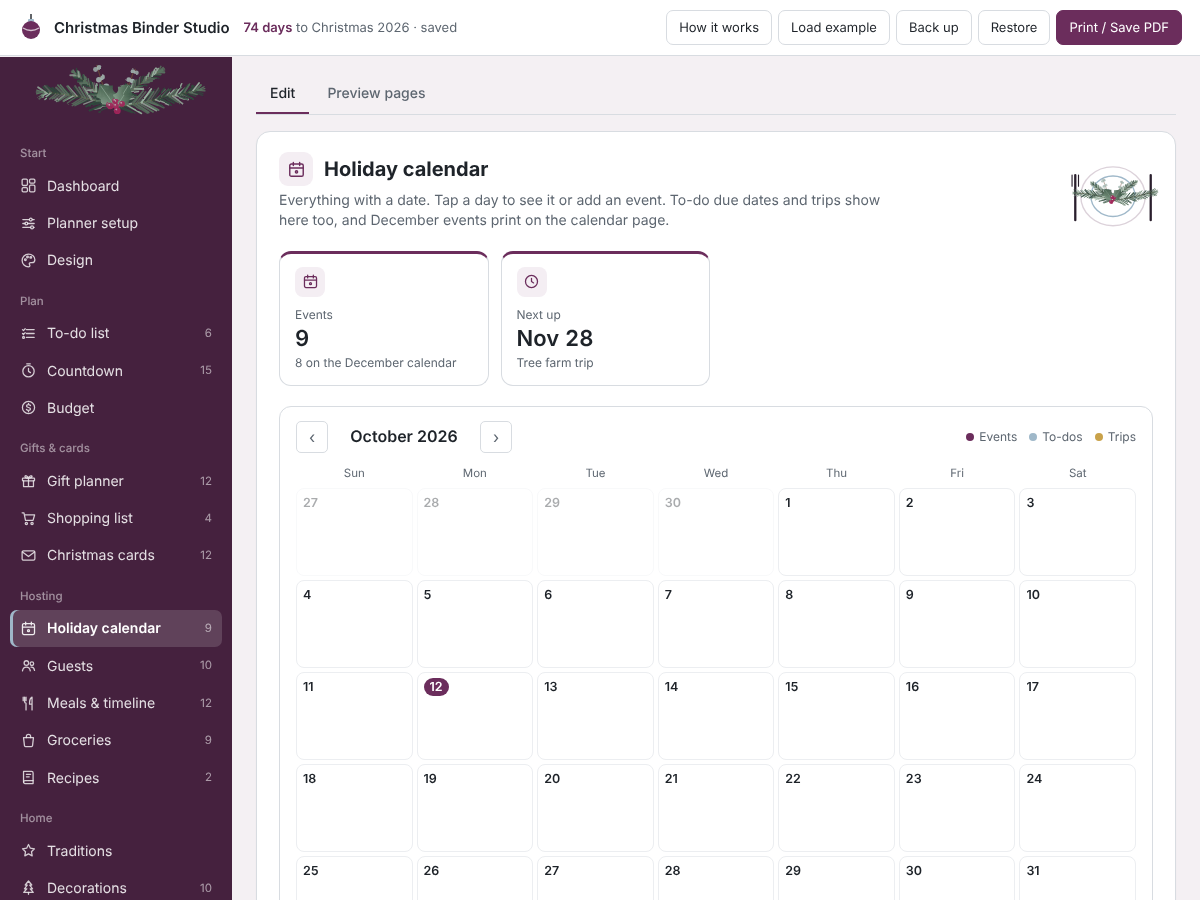
Your December on one calendar
Events, to-do due dates and trips land on a month view you can flip through. December prints as a full calendar page.
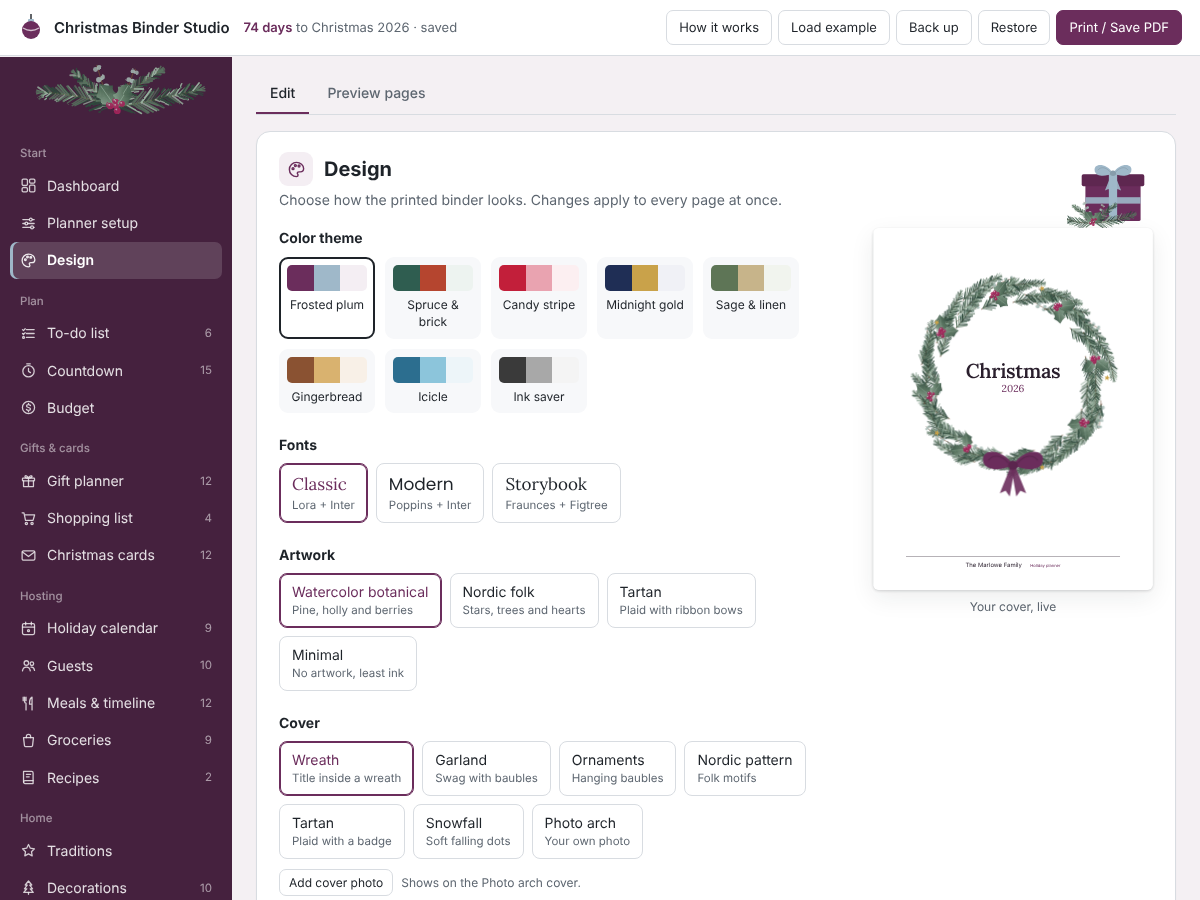
Make it look like yours
Eight colour themes, four artwork styles, seven covers including your own photo, three font pairings, and US Letter or A4. There's a blank printable mode too, for anyone who'd rather plan with a pen.
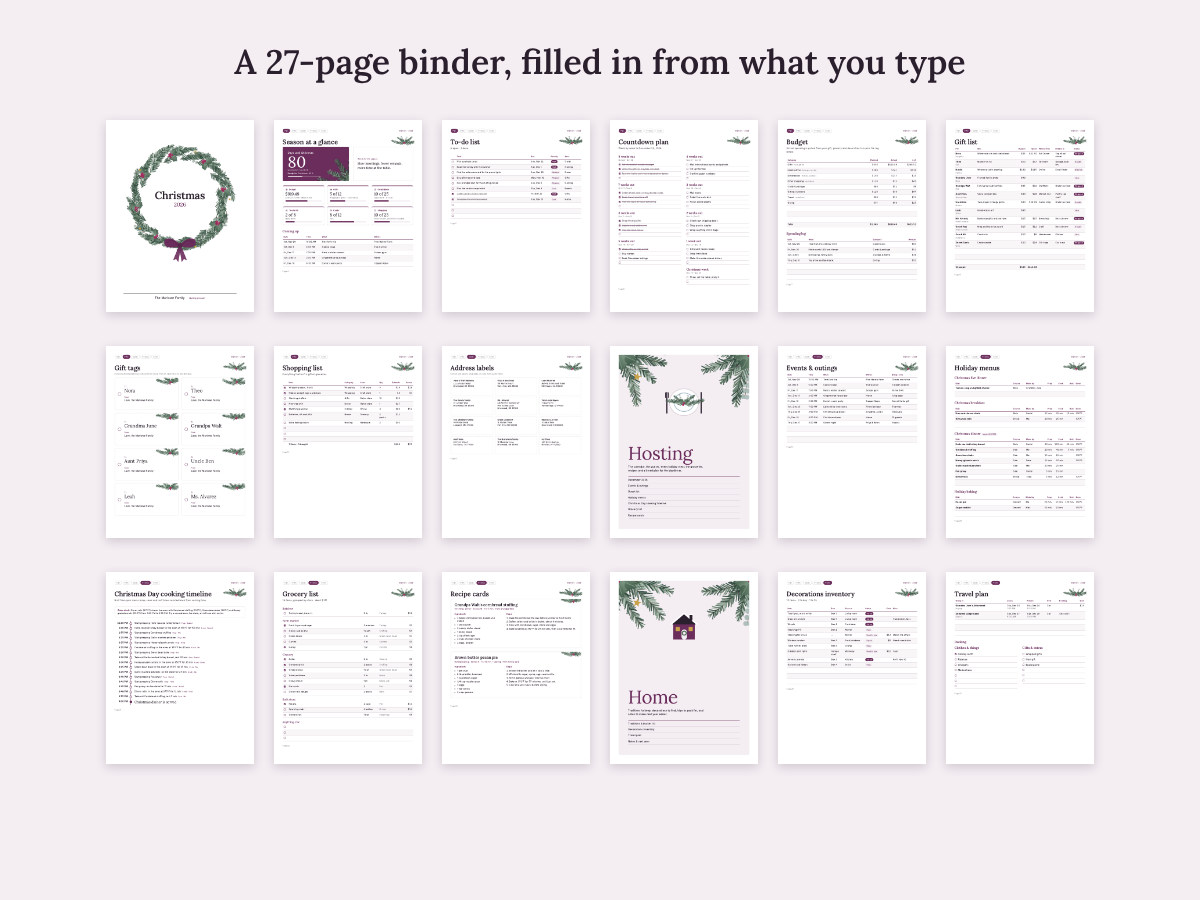
A 27-page binder, filled in
20 planner page types, plus a cover, contents and illustrated section dividers. Turn pages on or off and print only what you need.
Try it free first
Open the free demo with an example family already filled in. Pop in your first name and email and it opens right away.
You're in. The demo is ready for you.
Open the free demoI'll send the odd free tool now and then. Unsubscribe any time.
Ready when you are
One file that opens in your browser. Pay once, use it every year.
On iPhone or iPad? Open your private link in Safari and use it right there, no app needed. Your plan saves on that device, so tap Back up now and then to keep a copy.
Questions
Does it work on my phone?
Yes. It runs in the browser on phones, tablets and computers. On iPhone or iPad you open your private link in Safari and use it right there.
Is there anything to install?
No. It's one file that opens in your browser. No app and no account.
Is it a one-time price?
Yes. You pay once and can use it every Christmas. There's no subscription.
Where is my data saved?
In your browser on your own device. Nothing is uploaded. Use Back up to download a small file you can restore on another device.
Do I need Canva, Adobe or a spreadsheet?
No. You type into simple lists inside the planner and print straight from your browser.
Can I print it blank and fill it in by hand?
Yes. Blank printable mode keeps the same design with every field empty and writing lines. You can print both versions.