Everyone on your gift list, and what's left to spend
Add the people you're buying for, give each one a budget and see at a glance what's planned, what's spent and what's left. Free, no sign-up, and it works on your phone.
- Works on your phone
- Nothing to install
- Free, no sign-up
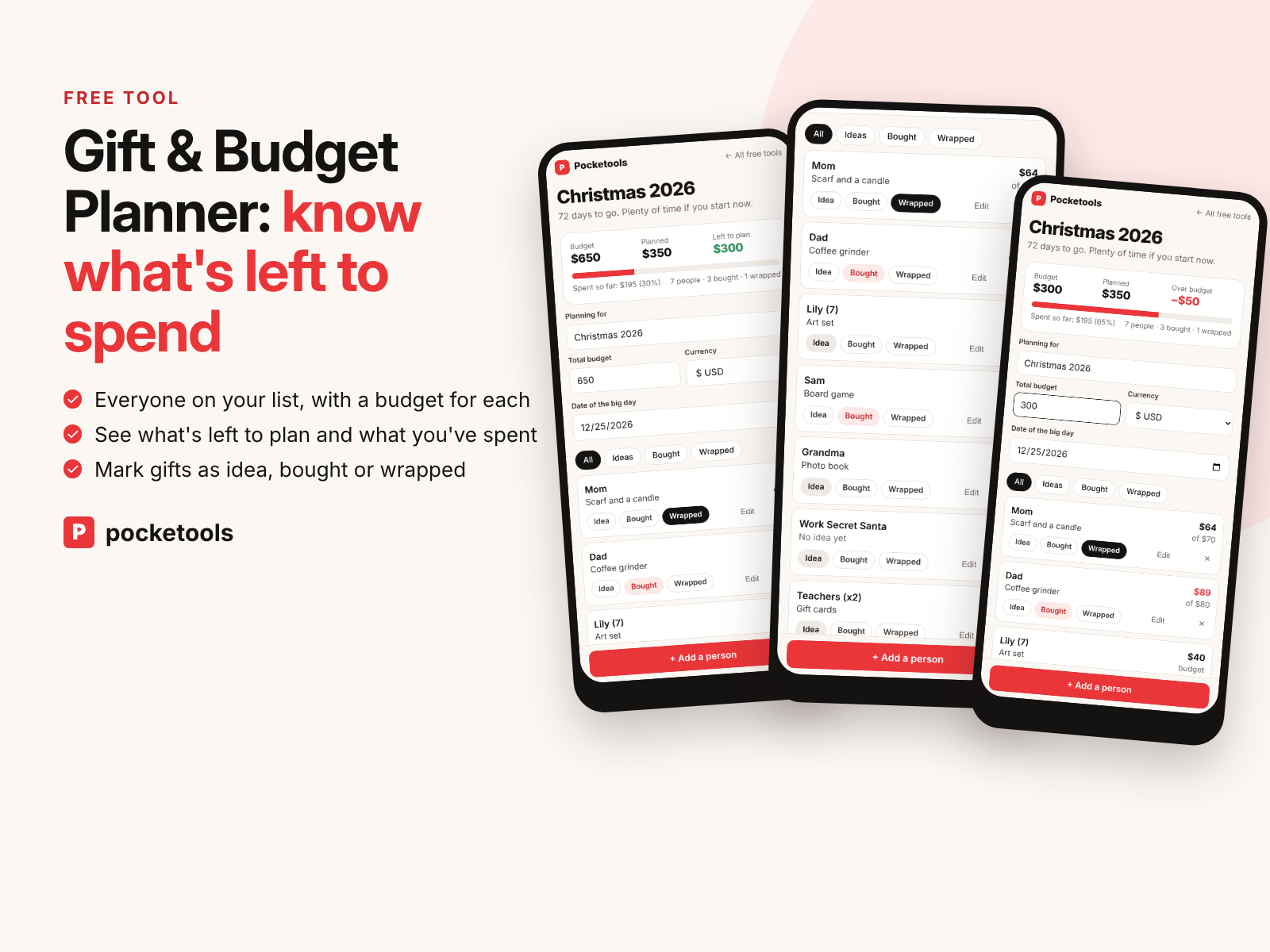
See it in action
A short clip of the real tool.
What's inside
Every part of the tool, with real screenshots.
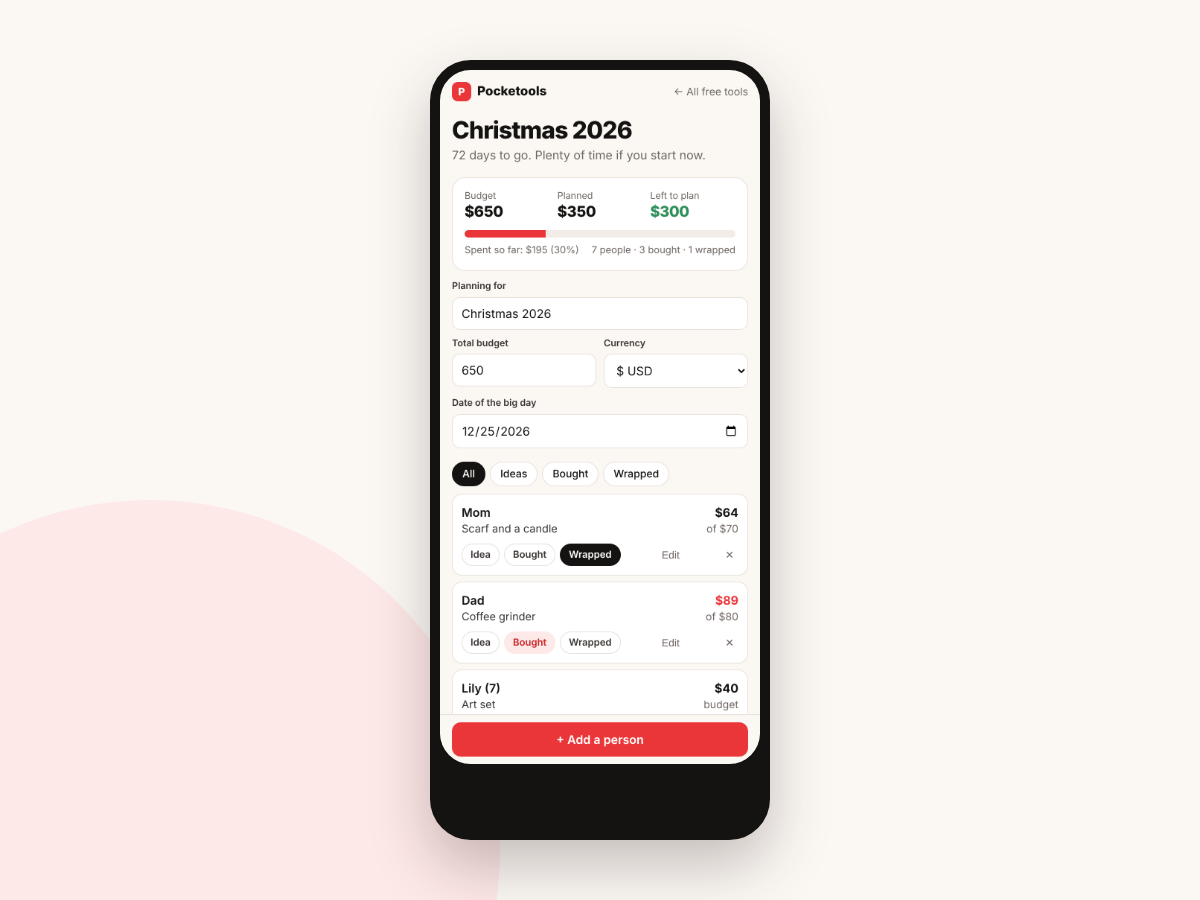
Your budget at a glance
The top card shows your total budget, how much you've planned across everyone and what's left to plan. A bar fills as you spend, with the amount spent so far and how many gifts are bought and wrapped.
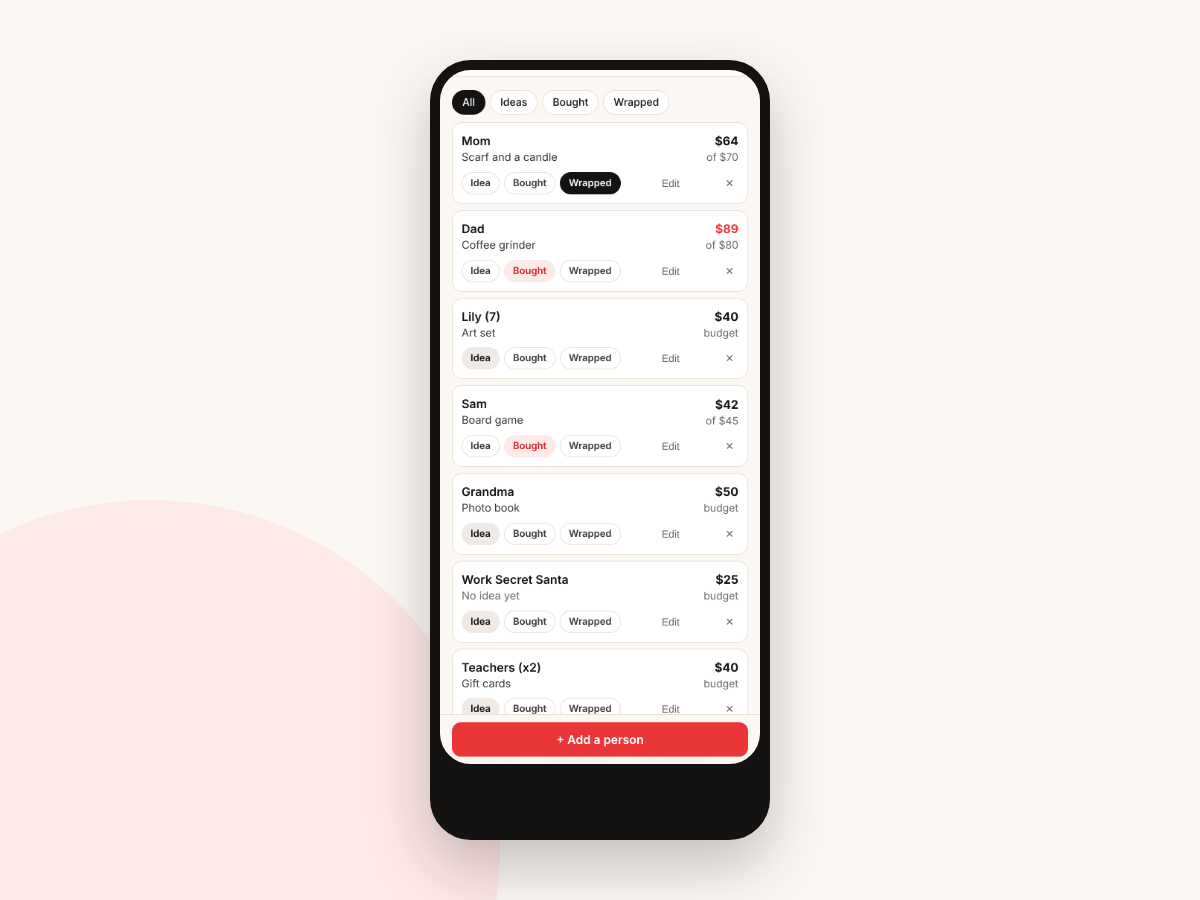
One line per person
Each person has a gift idea, a budget and what you actually spent. Tap Idea, Bought or Wrapped as you go. If a gift cost more than you planned, the amount turns red.
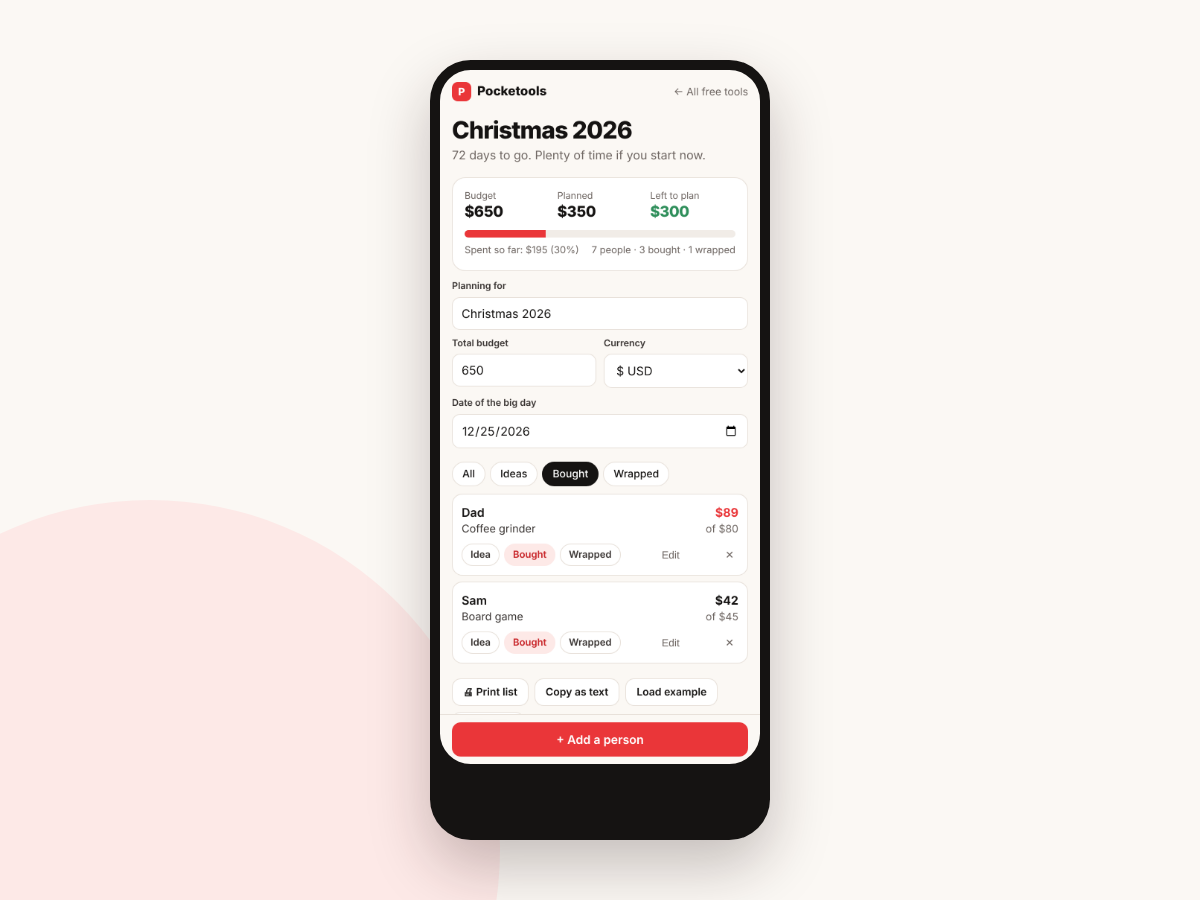
See only what's left to buy
Filter the list to Ideas, Bought or Wrapped, so on a shopping trip you only see the gifts you still need.
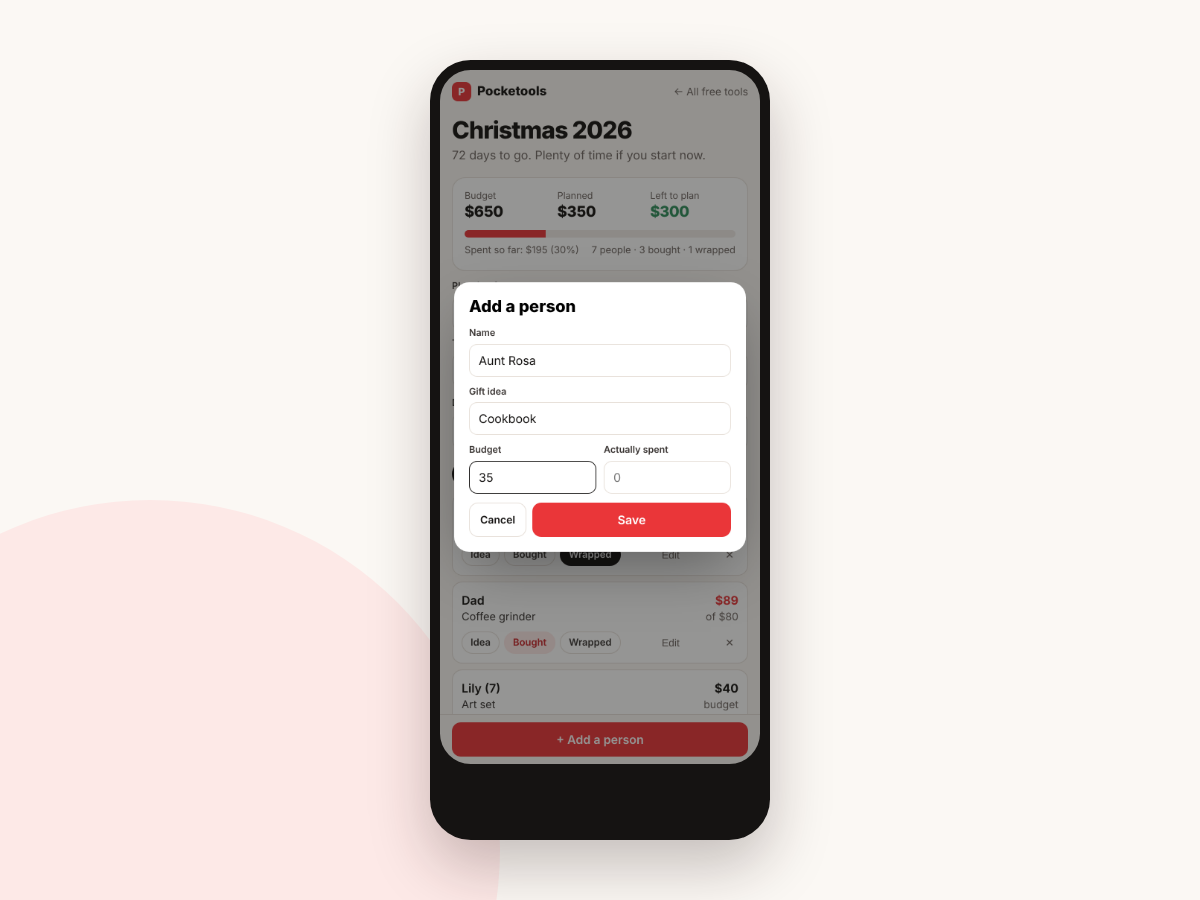
Add someone in seconds
Tap Add a person, type a name, a gift idea and a budget, and save. You can fill in what you spent later, and edit or remove anyone.
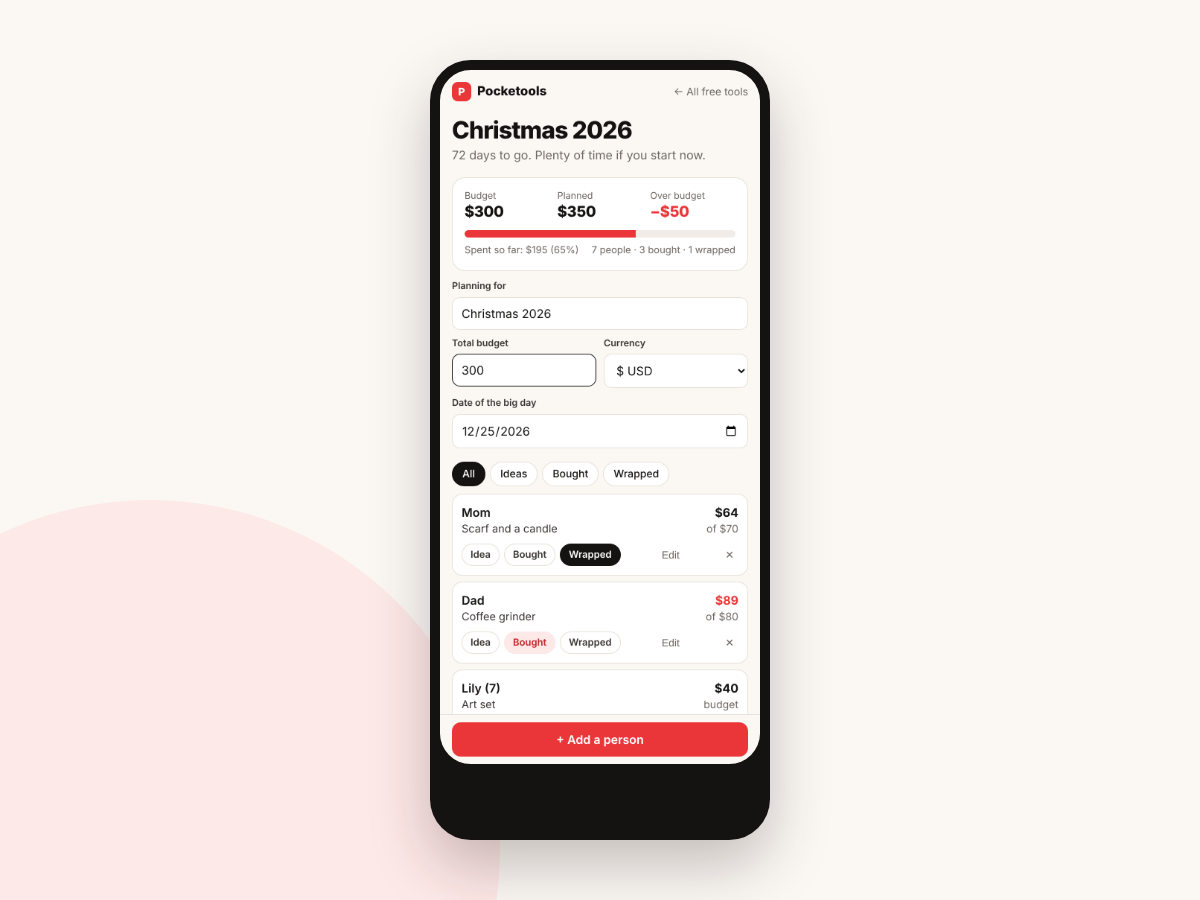
Know before you overspend
If your plans add up to more than your total budget, Left to plan switches to Over budget and shows by how much, so you can trim before you buy.
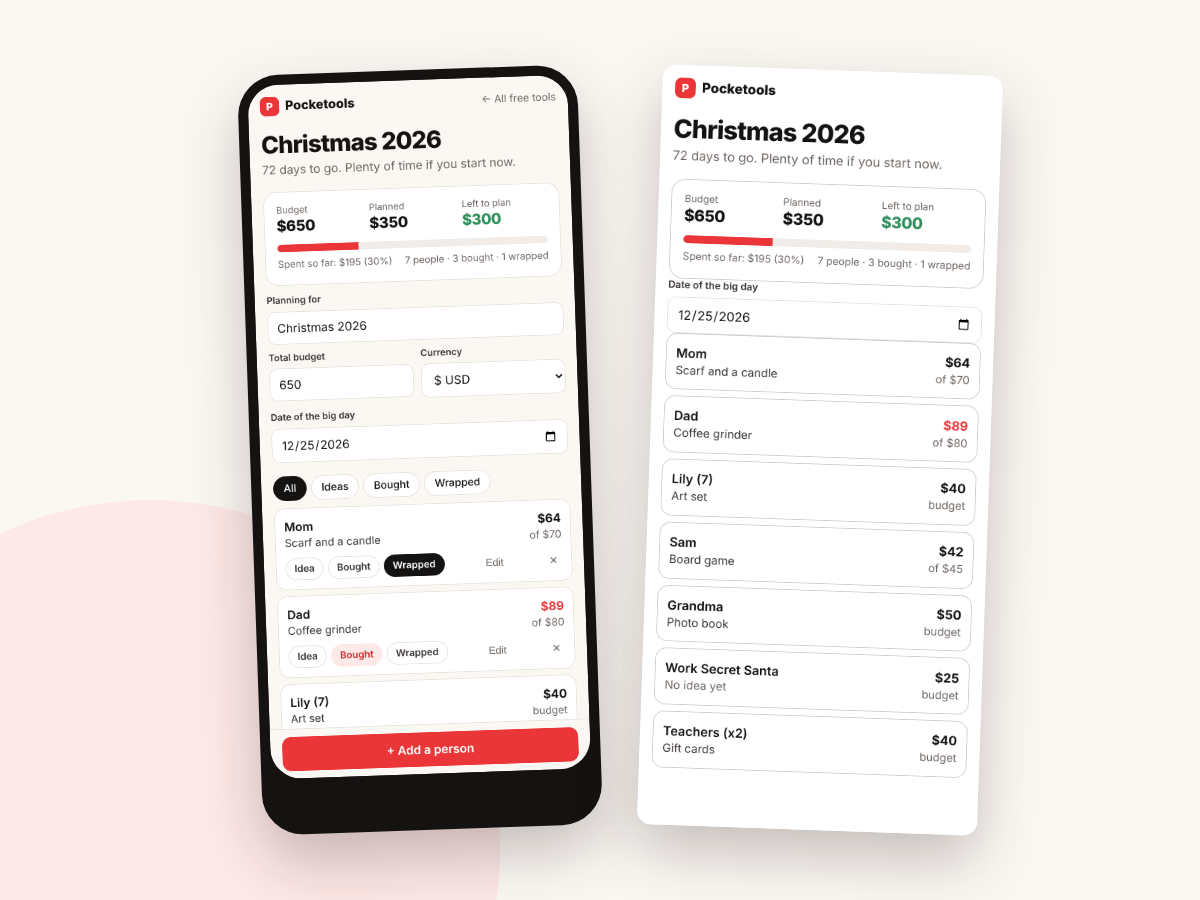
Print it or copy it
Print a clean list without the buttons, or copy the whole list as text to paste into a note or a message. Set the occasion and the date and it counts down the days for you.
Open it free
Pop in your first name and email and the tool opens right away. It runs in your browser and everything you type stays on your device.
You're in. The tool is ready for you.
Open the toolI'll send the odd free tool now and then. Unsubscribe any time.
On iPhone or iPad? It works right in Safari, no app needed. Everything you type saves on that device.
Questions
Is it really free?
Yes. There's no sign-up, no email needed and nothing to pay.
Does it work on my phone?
Yes. It's built for the phone first and also works in the browser on a tablet or computer.
Where is my list saved?
In your browser on that device. Nothing is uploaded. If you clear your browser data or switch devices, the list won't come with you, so use Copy as text or Print to keep a copy.
Can I use it for birthdays or other occasions?
Yes. Change Planning for to any occasion and set its date. The countdown and title follow what you type.
Which currencies does it support?
US dollars, pounds, euros, Australian dollars and Canadian dollars.
Can I start over?
Yes. Start over clears the list. You tap it twice so you don't wipe it by accident.