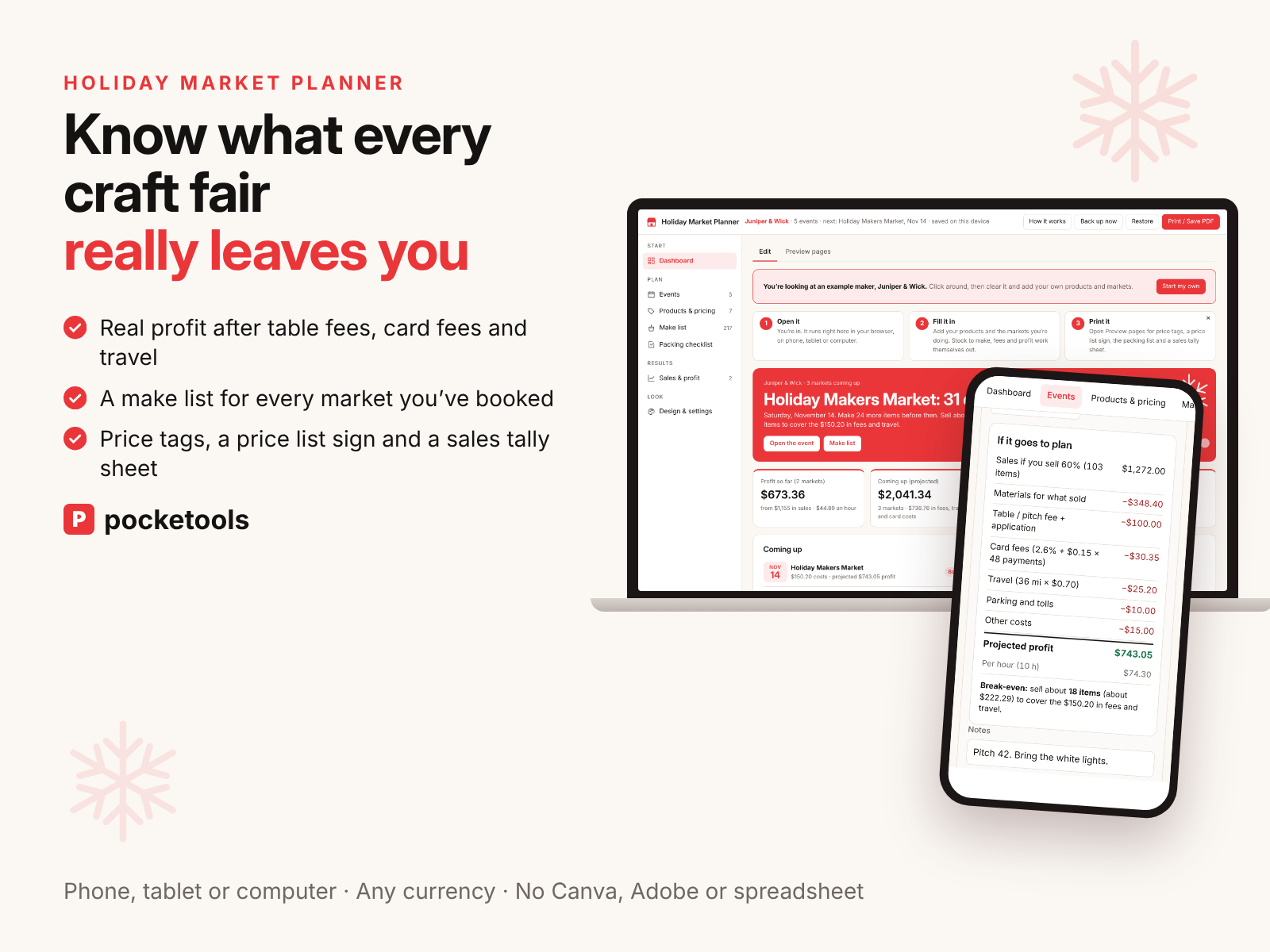
Know what every craft fair really leaves you
Add your products and the markets you've booked. It takes off every fee, shows the break-even before you go, tells you what to make, and prints the tags and sign for your table.
Launch price with code MARKETLAUNCH until Nov 8. Then $12.
- Works on your phone
- Nothing to install
- One-time price
See it in action
A short clip of the real tool.
What's inside
Every part of the tool, with real screenshots.
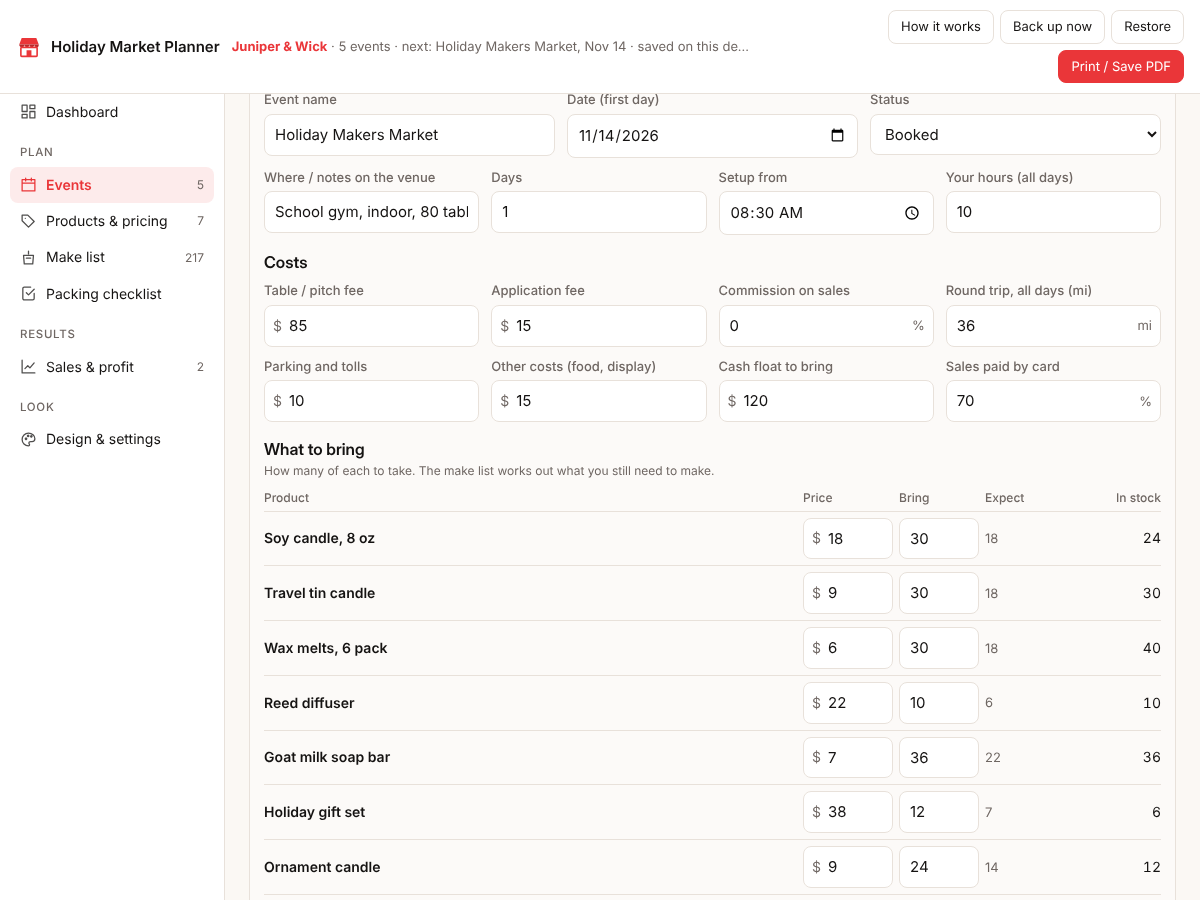
Every market and every fee
Add each craft fair or holiday market with its table fee, application fee, commission, travel, parking and anything else. Say what you're bringing and how much you expect to sell.
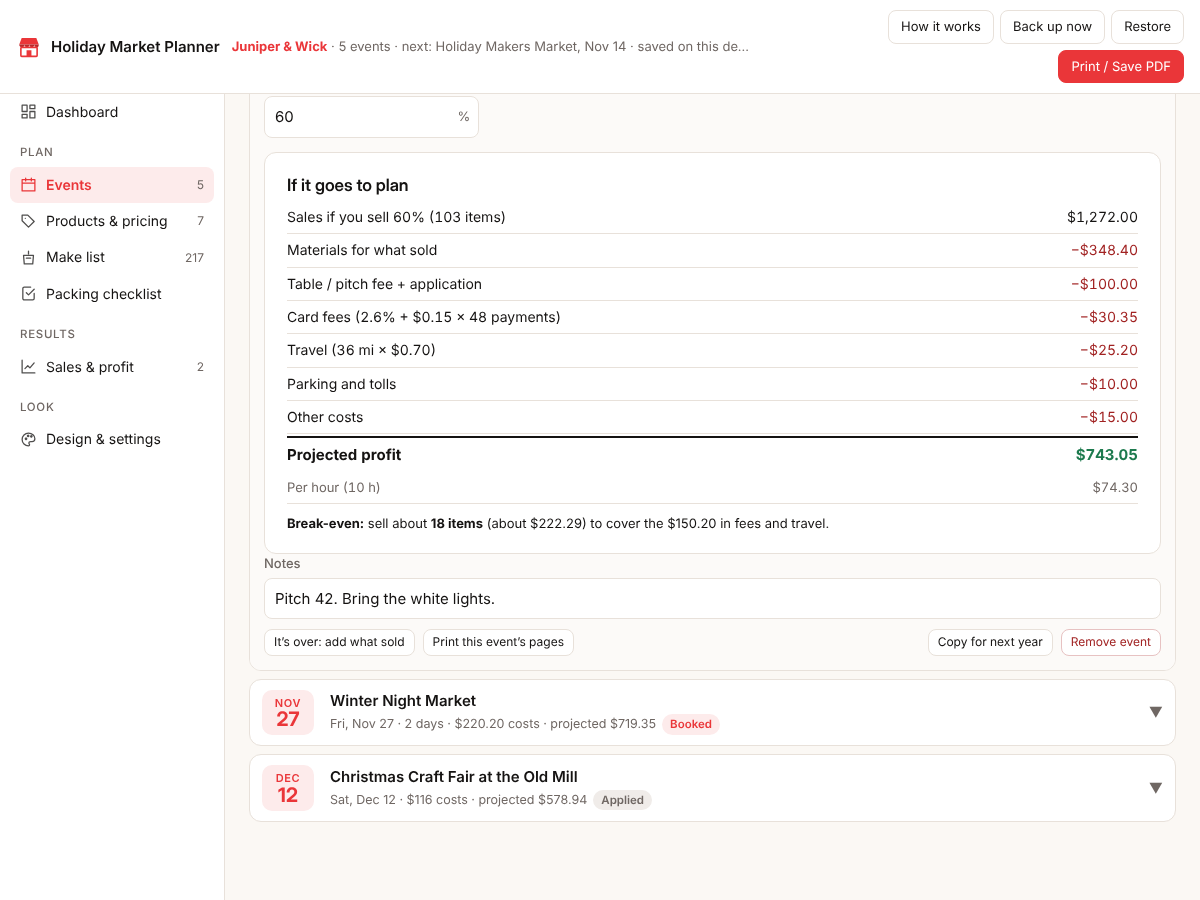
The break-even before you book
It takes off materials, card fees and every cost and shows the projected profit and the profit per hour. You also see how many items cover the day's fees and travel.
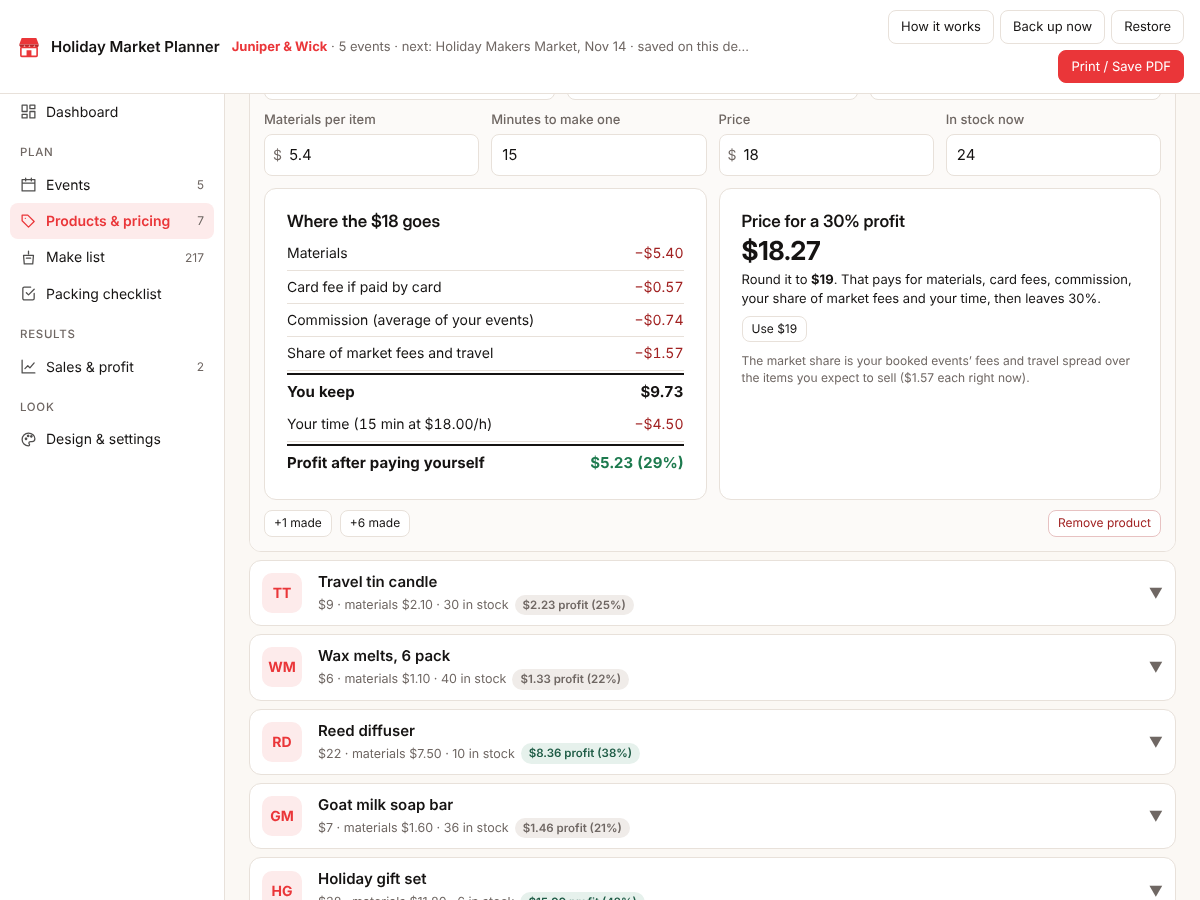
Prices with every cost counted
For each product it shows materials, the card fee, your share of market fees and travel, and your own time. It suggests a price for the profit you want and rounds it to a tidy number.
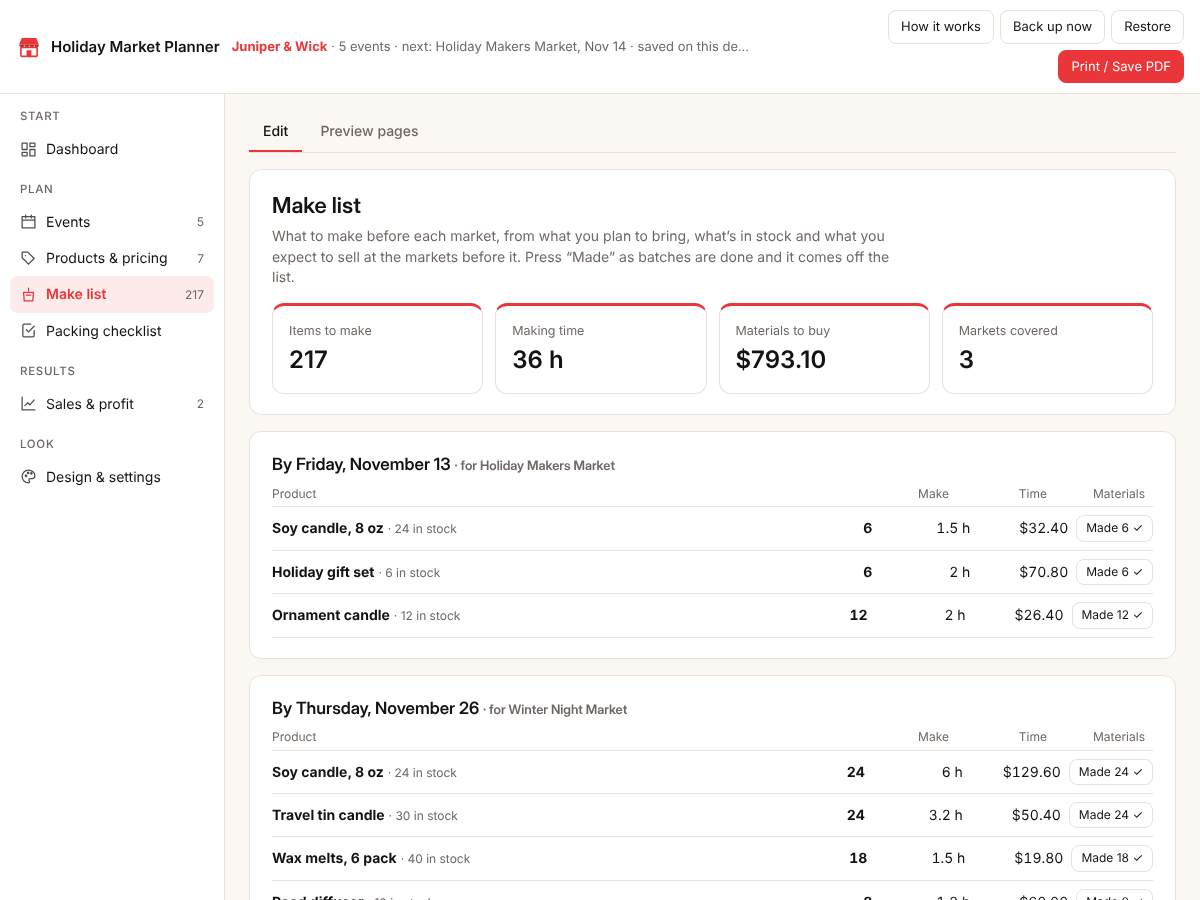
A make list for each market
It compares what you're bringing with what's in stock and what you'll probably sell at the markets before it. You get what to make by the day before each one, with making time and materials. Tap Made and it comes off the list.
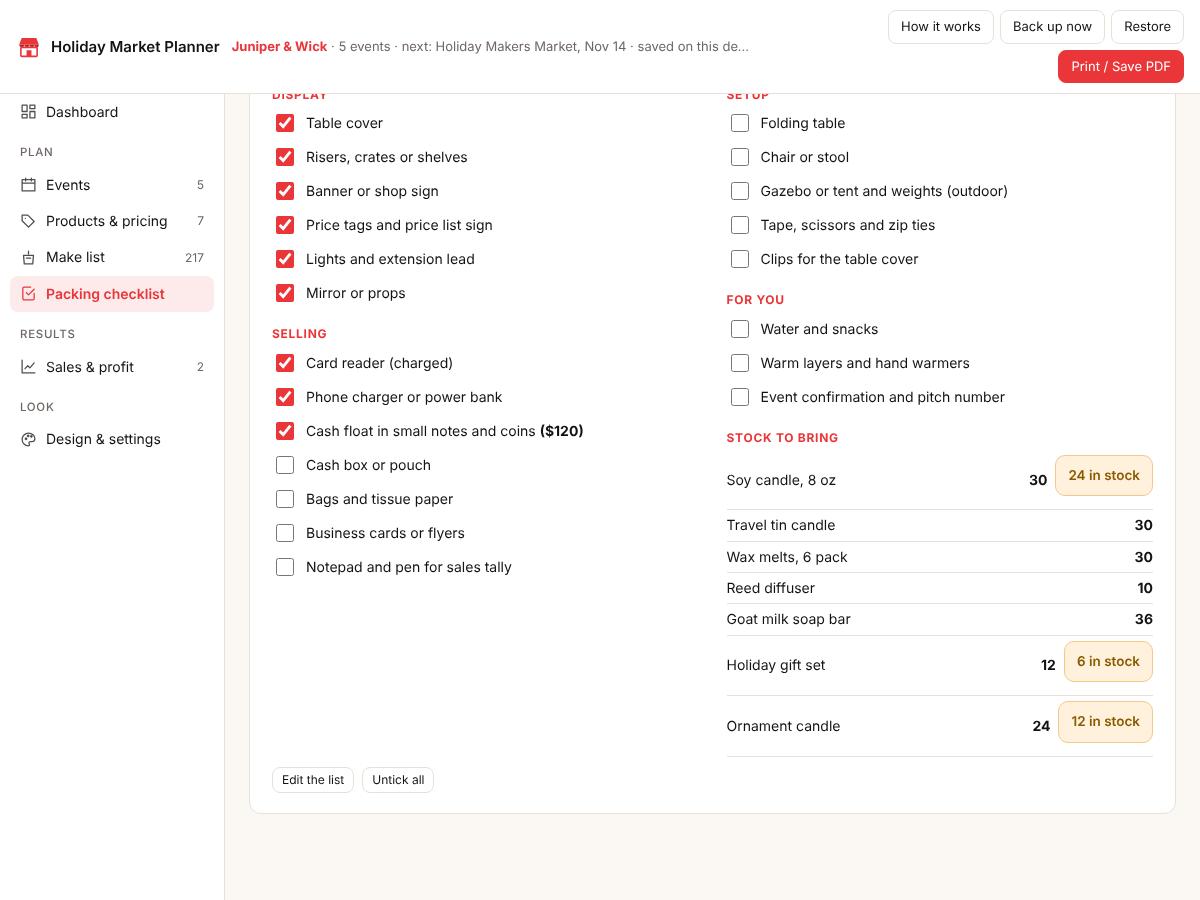
A packing list that knows your stock
A 21-item checklist in four groups that you can edit, with separate ticks for each event. It warns you when you plan to bring more than you have.
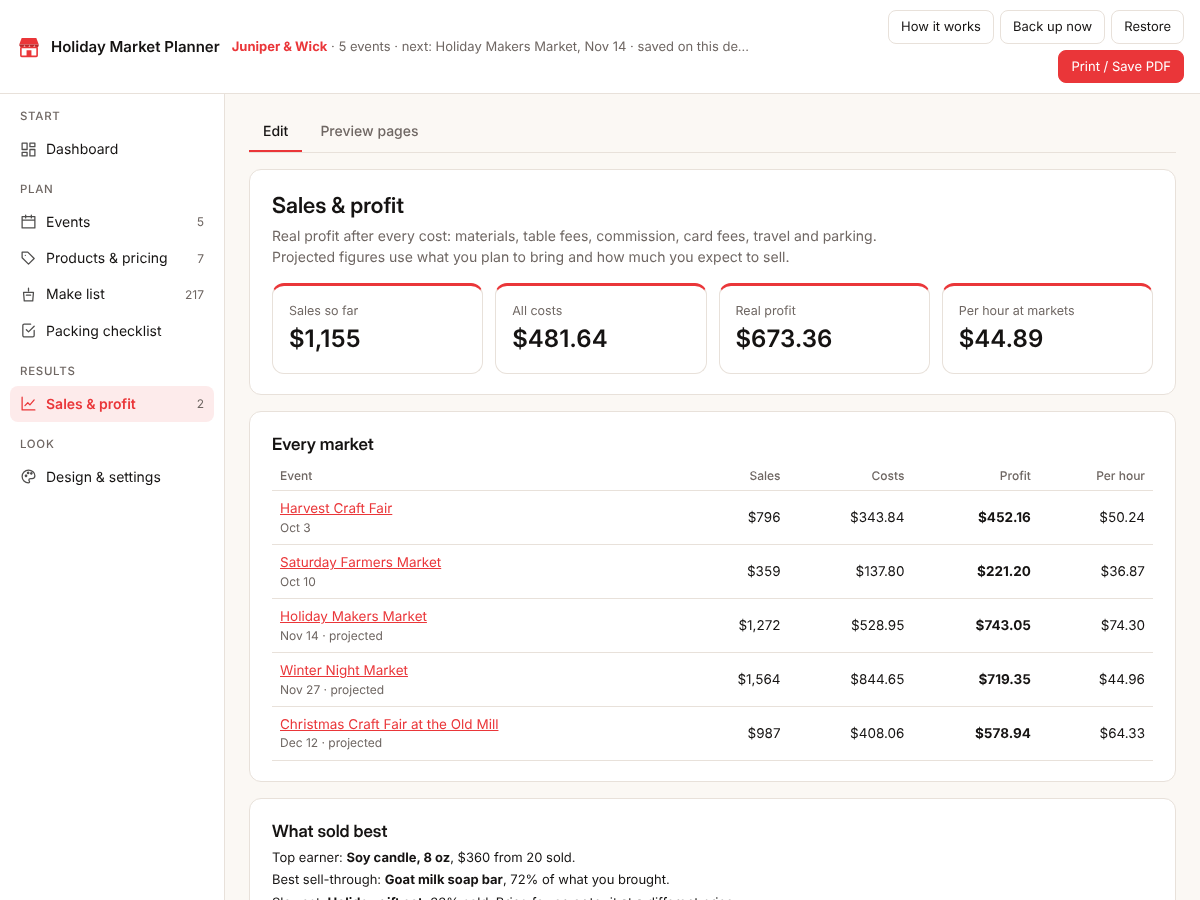
Real profit after the day
Type what sold and the card payments. You get the real profit, the share of what you brought that sold, and your best sellers across the season.
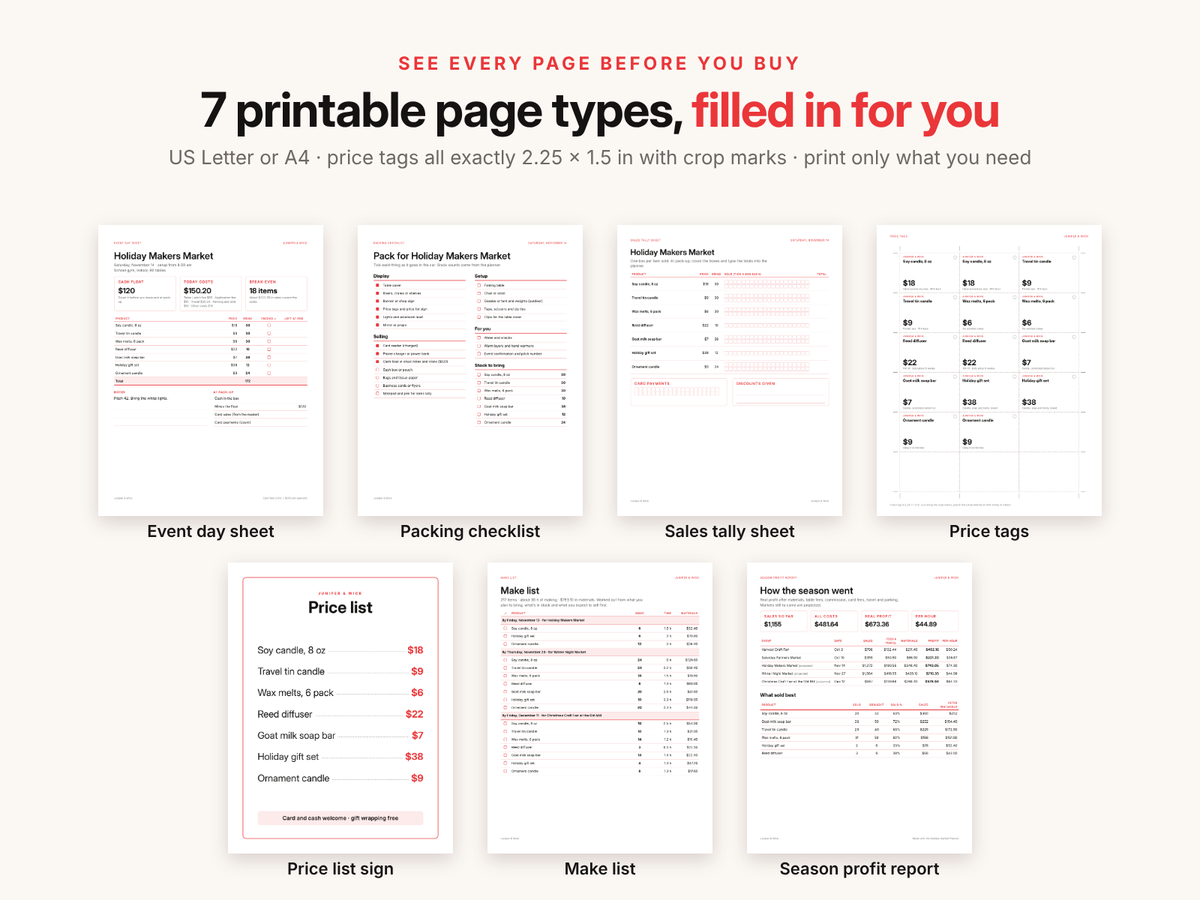
Seven printable pages
An event day sheet, a packing checklist, a sales tally sheet, price tags all exactly 2.25 × 1.5 in, a price list sign, the make list and a season profit report. Print on Letter or A4.
Try it free first
Open the free demo with an example family already filled in. Pop in your first name and email and it opens right away.
You're in. The demo is ready for you.
Open the free demoI'll send the odd free tool now and then. Unsubscribe any time.
Join the waitlist
It is almost ready. Leave your email and I'll tell you the day it opens. People on the list hear first and get the launch price, $9 instead of $12, until Nov 8.
Thanks, . You're on the list. I'll email you the day it opens.
On iPhone or iPad? Open your private link in Safari and use it right there, no app needed. Your plan saves on that device, so tap Back up now and then to keep a copy.
Questions
Does it work on my phone?
Yes. It runs in the browser on phones, tablets and computers. On iPhone or iPad you open your private link in Safari and use it right there.
Is there anything to install?
No. It's one file that opens in your browser. No app, no account, nothing to unzip.
Is it a one-time price?
Yes. You pay once and use it every season. There's no subscription.
Where is my data saved?
In your browser on your own device. Nothing is uploaded. Tap Back up now to download a small file you can restore on another device.
Do I need Canva or Adobe?
No. You type everything inside the planner and print straight from your browser. No Canva, Adobe or spreadsheet, and no formulas to fix.
Does it connect to my card reader?
No. After the day you type what sold and the number of card payments, or copy them from your reader's summary.
Can I use my own currency and kilometres?
Yes. US dollars by default, or £, €, C$, A$ and more, miles or kilometres with your own travel cost, and your own card fee rate.
Holiday Market Planner
Launch price with code MARKETLAUNCH until Nov 8. Then $12.