Your office party games, ready to run from one screen
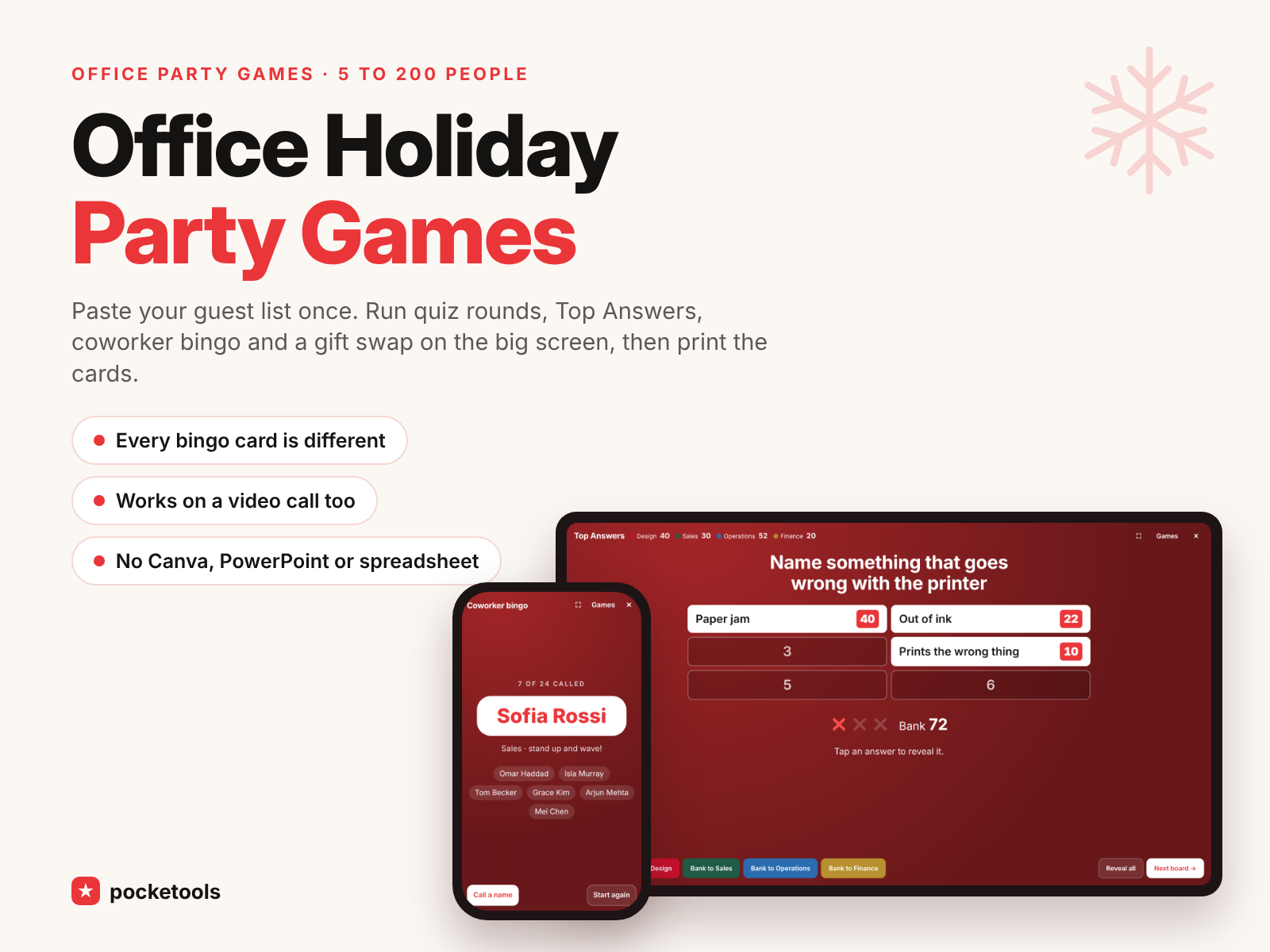
Paste your guest list once. Run quiz rounds, Top Answers and coworker bingo on the big screen or a video call, then print bingo cards, awards and table signs.
Launch price with code OFFICEPARTYLAUNCH until Nov 25. Then $12.95.
- Works on your phone
- Nothing to install
- One-time price
See it in action
A short clip of the real tool.
What's inside
Every part of the tool, with real screenshots.
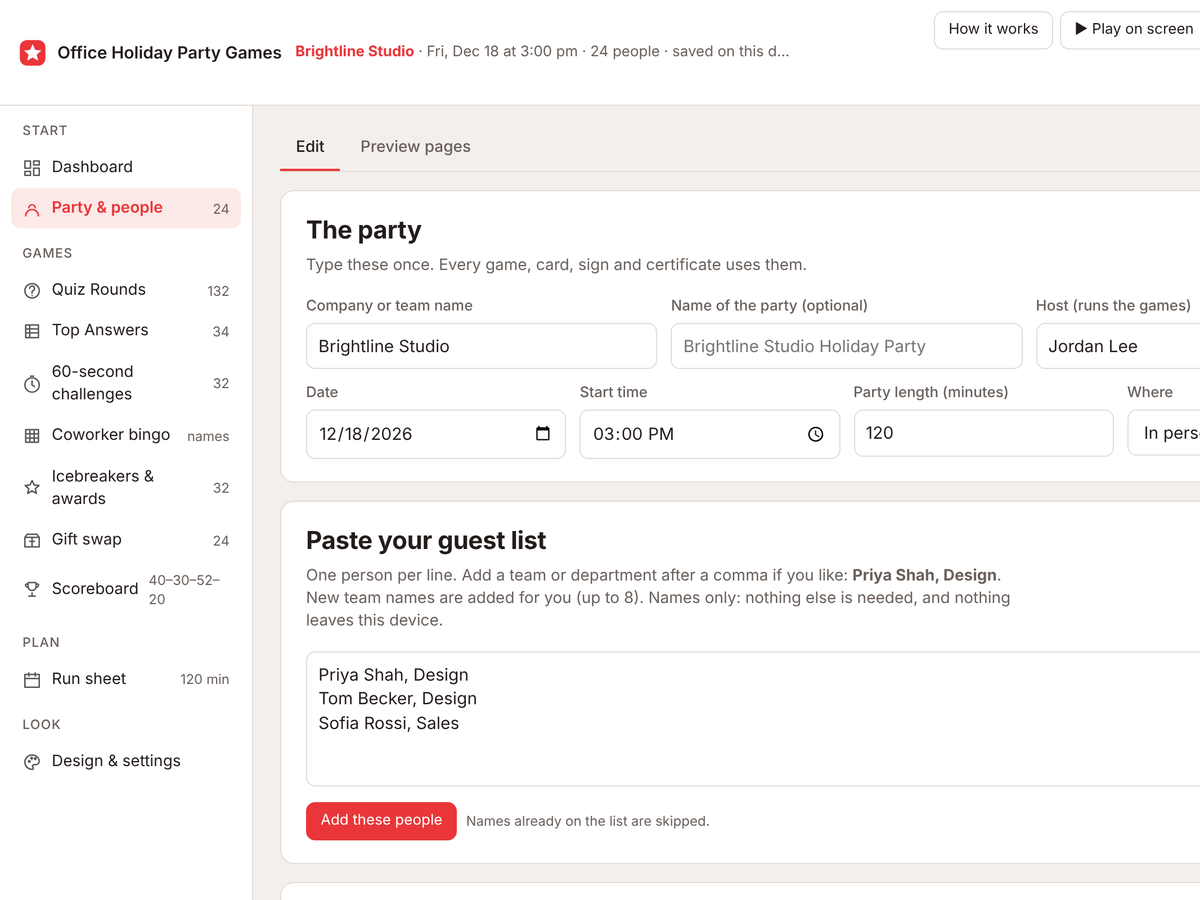
Paste your guest list once
One name per line, with a department after a comma if you like, and the teams are made for you. Every game, bingo card, award and table sign uses the list. Names are all it needs.
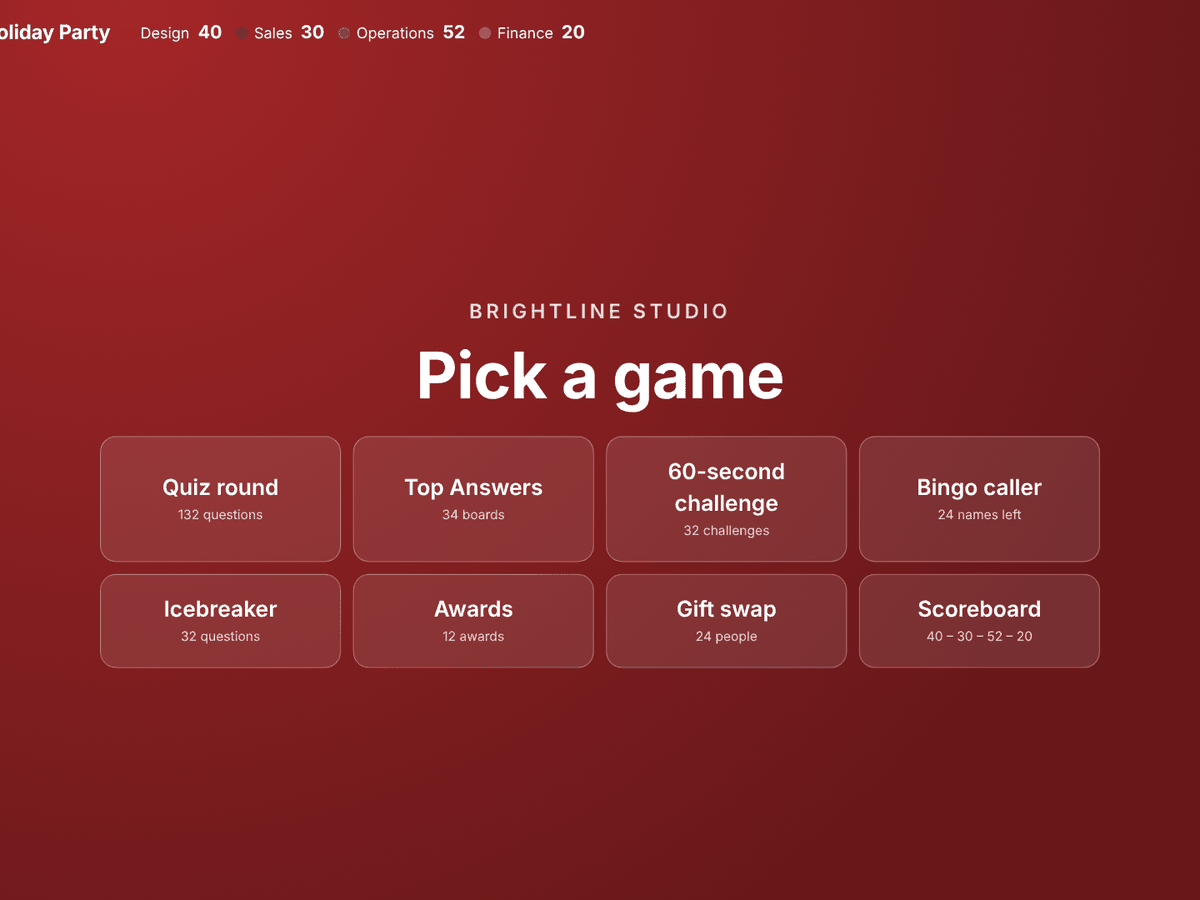
Run it on the big screen or a call
Press Play on screen on the meeting-room TV, a laptop, or a shared screen on a video call. Big text, tap to reveal, and team scores add up as you play.
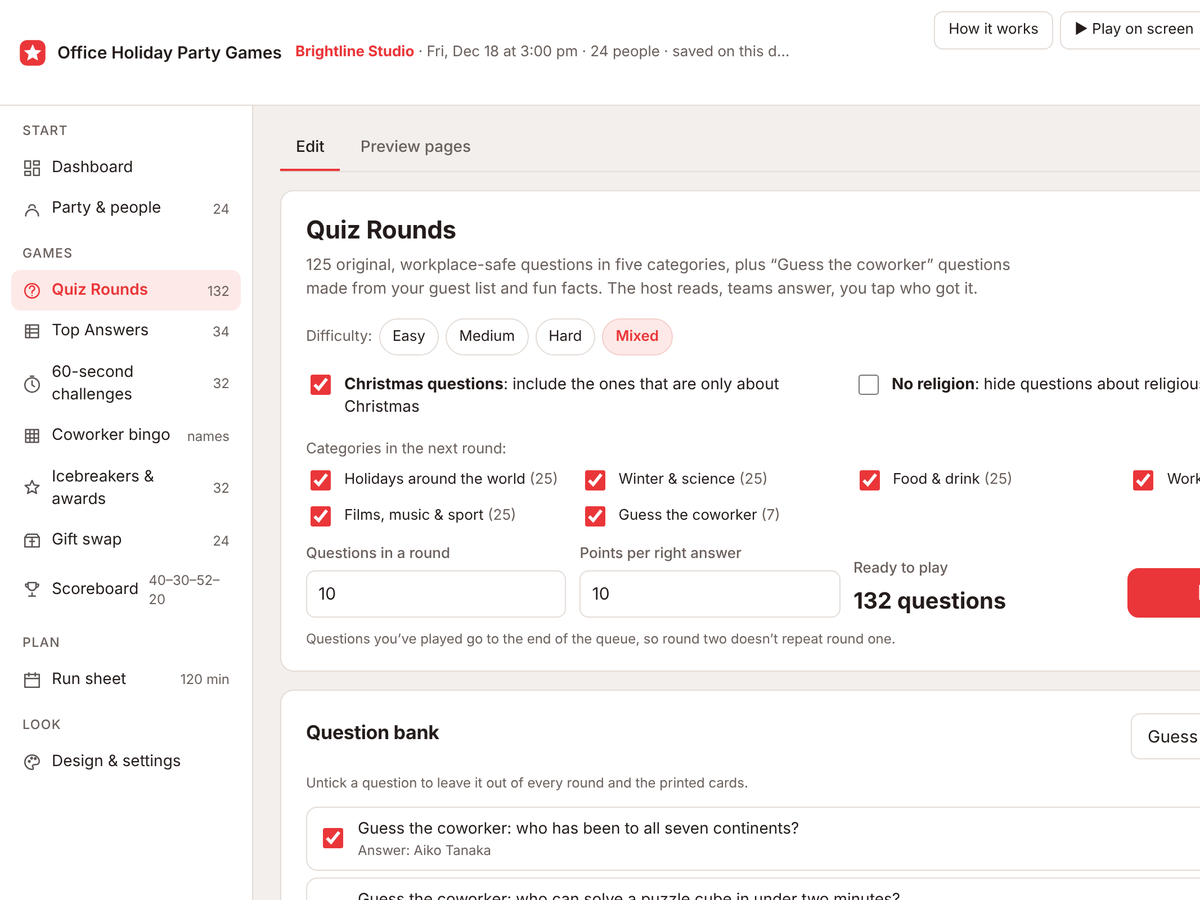
A quiz about the people in the room
125 original, work-safe questions in five categories, plus Guess the coworker. Copy the ready-made message, paste the fun facts people send back, and each one becomes a question.
Top Answers, office edition
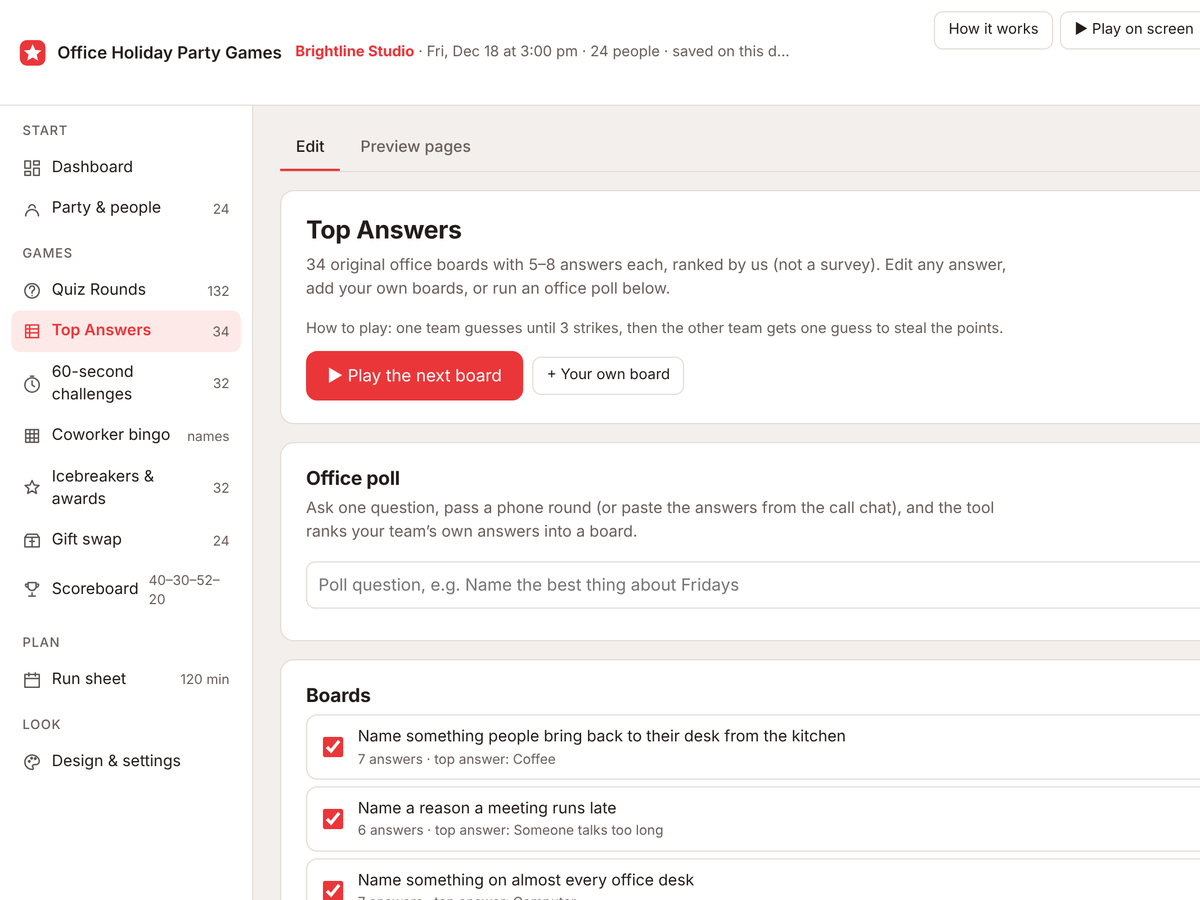
34 original boards, like name something that goes wrong with the printer, ranked by us. Three strikes, then the other team can steal. Or run an office poll and the tool ranks your team's own answers.
Coworker bingo, every card different
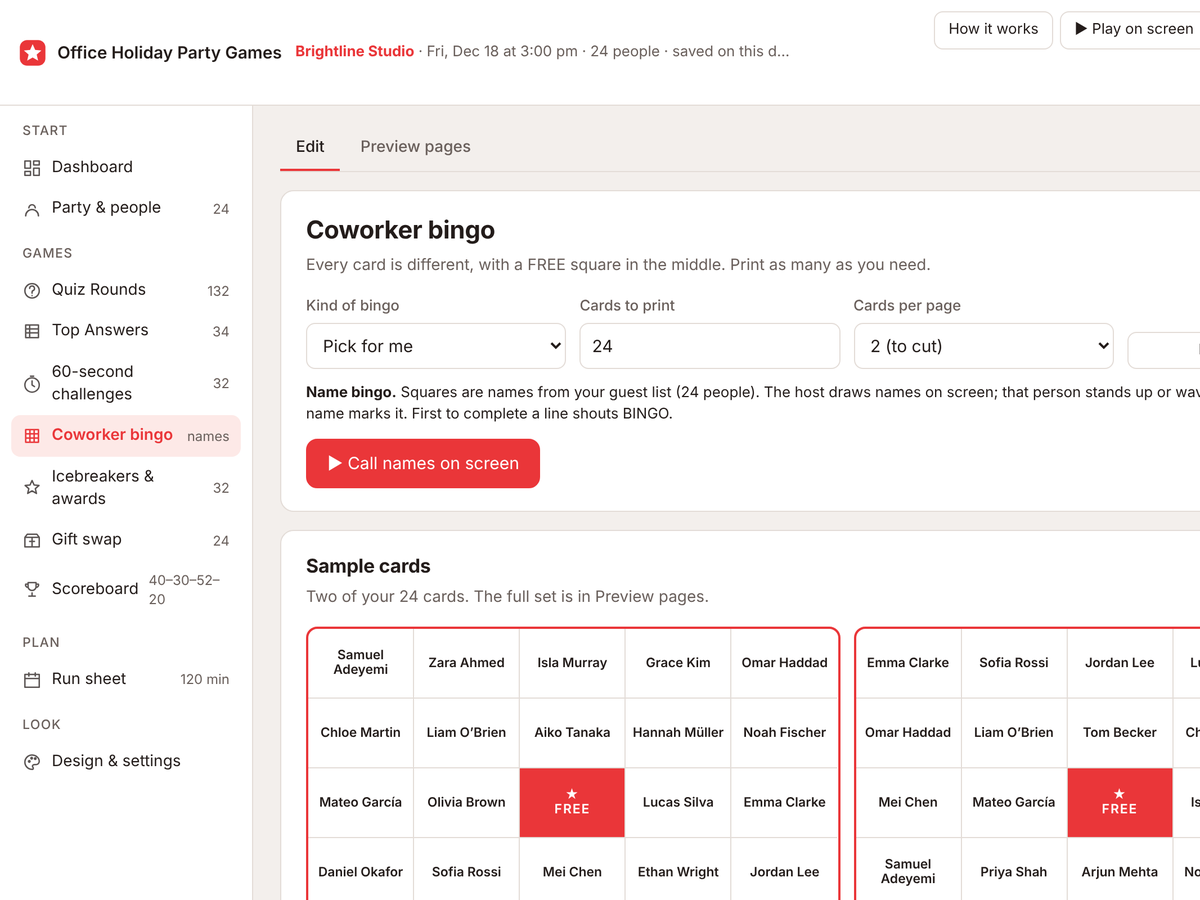
Bingo cards made from your guest list, with a FREE centre square and no two alike. With 24 or more names the host calls names on screen. Smaller teams get find someone who squares instead.
Awards and a gift swap
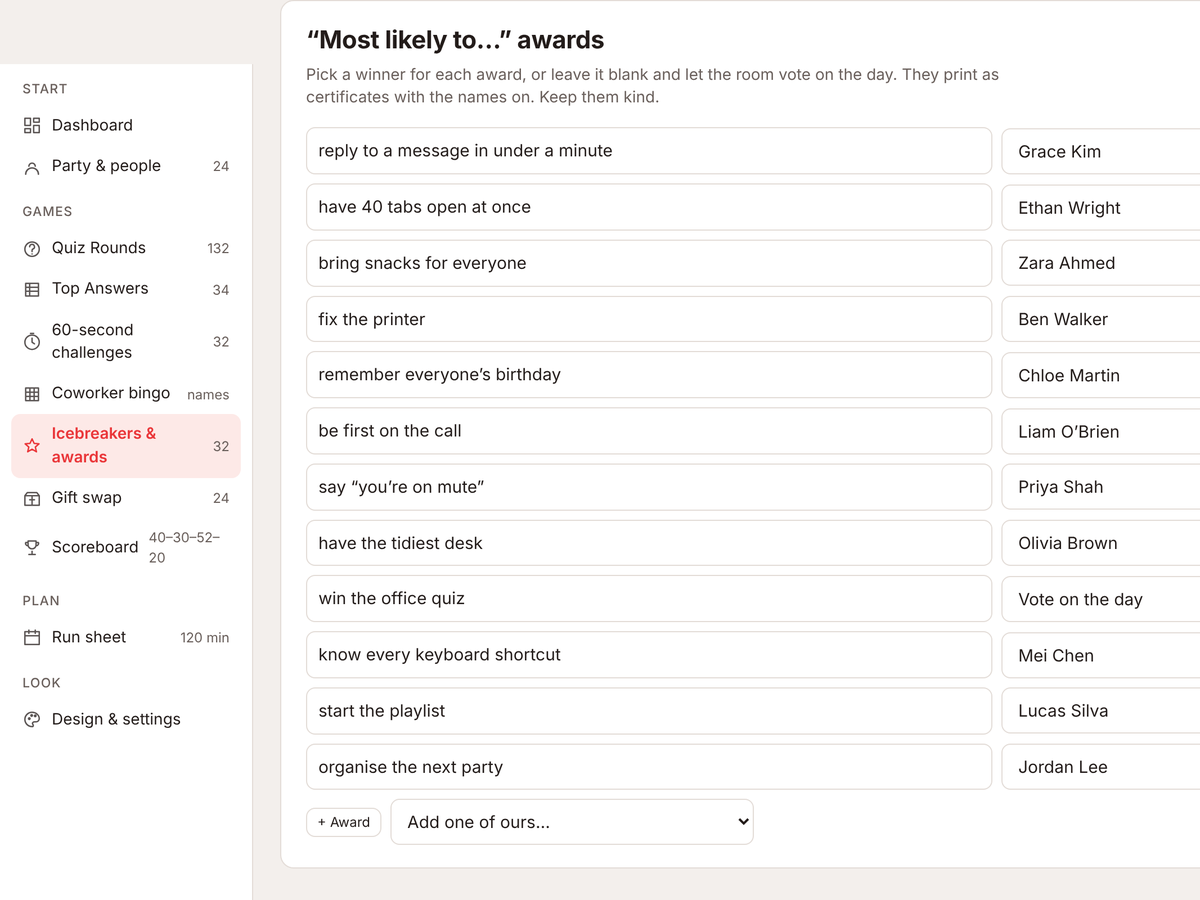
Kind most likely to awards with names, revealed one by one. The gift swap prints your rules, budget and turn tickets, and shows whose turn it is on screen.
12 printable page types
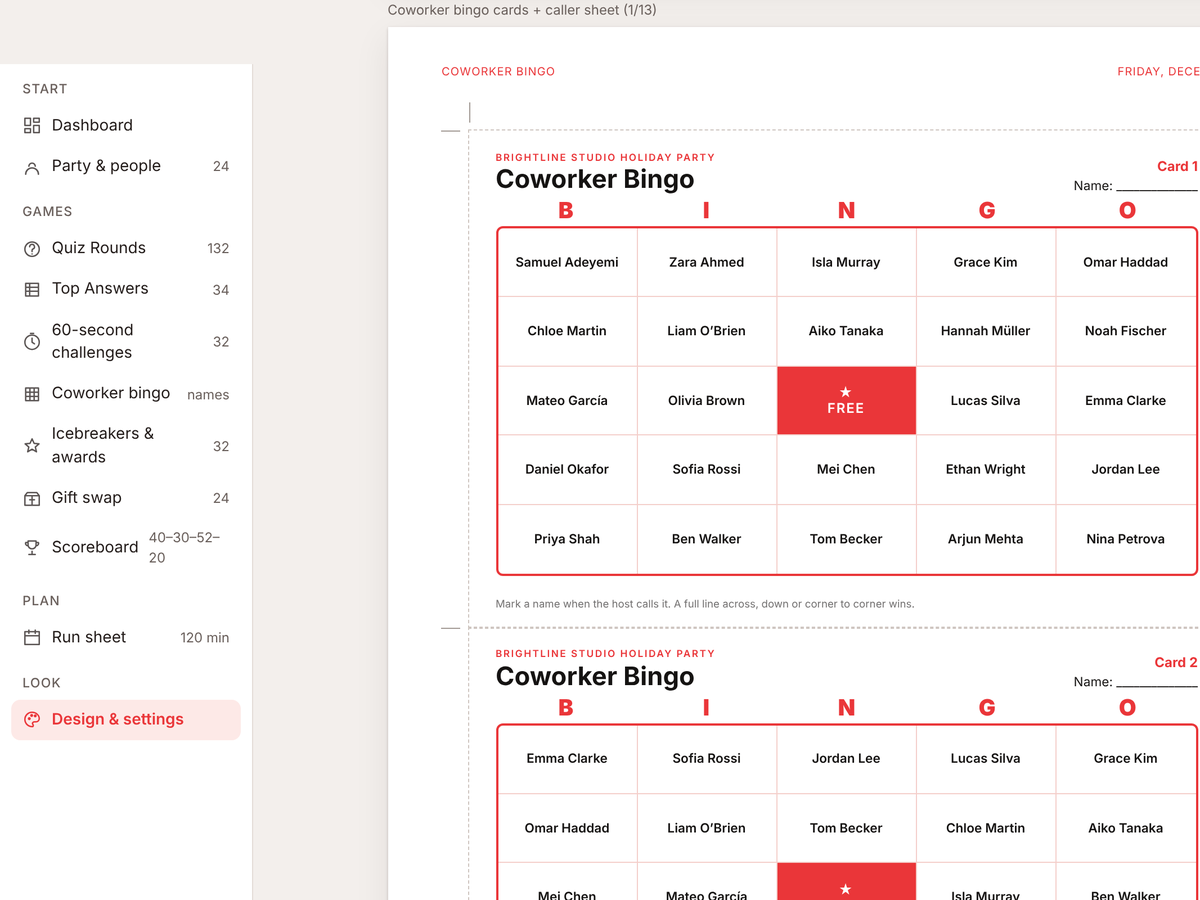
Run sheet, bingo cards and caller sheet, icebreakers, award certificates, table signs, gift swap rules and tickets, quiz cards with answers on the back, scorecard and certificate. Equal-size cards with crop marks, on Letter or A4.
Try it free first
Open the free demo with an example family already filled in. Pop in your first name and email and it opens right away.
You're in. The demo is ready for you.
Open the free demoI'll send the odd free tool now and then. Unsubscribe any time.
Join the waitlist
It is almost ready. Leave your email and I'll tell you the day it opens. People on the list hear first and get the launch price, $9.95 instead of $12.95, until Nov 25.
Thanks, . You're on the list. I'll email you the day it opens.
On iPhone or iPad? Open your private link in Safari and use it right there, no app needed. Your plan saves on that device, so tap Back up now and then to keep a copy.
Questions
Does it work on my phone?
Yes. Phones, tablets and computers, in any modern browser. On iPhone or iPad? Open your private link in Safari and use it right there, no app needed. Your plan saves on that device, so tap Back up now and then to keep a copy.
Is there anything to install?
No. It's one file that opens in your browser. No app and no account.
Is it a one-time price?
Yes. $12.95 once, and you can use it again next year. No subscription.
Where is my data saved?
In your browser on your own device. Nothing is uploaded, and the only personal details are the names you type. Back up now downloads a small file you can restore elsewhere.
Do I need Canva or Adobe?
No Canva, Adobe, PowerPoint or spreadsheet. Everything edits inside the tool and prints from your browser.
Does it work on a video call?
Yes. Share the browser tab and play from there. People answer out loud or in the chat, and 19 of the challenges work on camera.
Is it OK for a mixed team?
Yes. It says holiday by default, with Christmas or End-of-year wording if you want it. A no-religion switch hides questions about religious holidays, and you can untick anything.
Office Holiday Party Games
Launch price with code OFFICEPARTYLAUNCH until Nov 25. Then $12.95.