Know where every bulk order is, and what it really earns
OrderFlow tracks each order stage by stage, from materials to shipping. It works out your cost and profit per piece and turns progress into an update your buyer can read on WhatsApp.
- Works on your phone
- Nothing to install
- One-time price
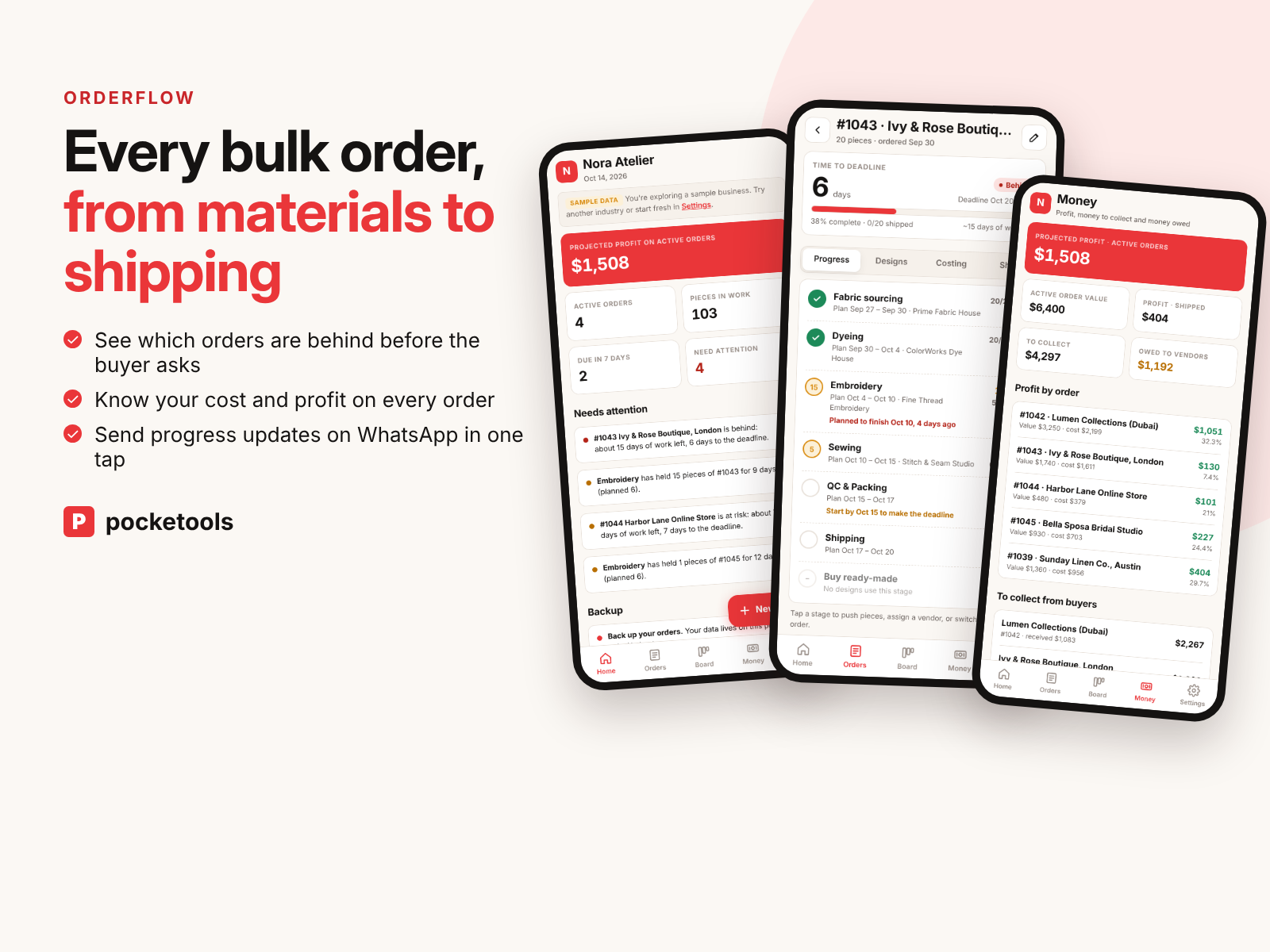
See it in action
A short clip of the real tool.
What's inside
Every part of the tool, with real screenshots.
See what needs you today
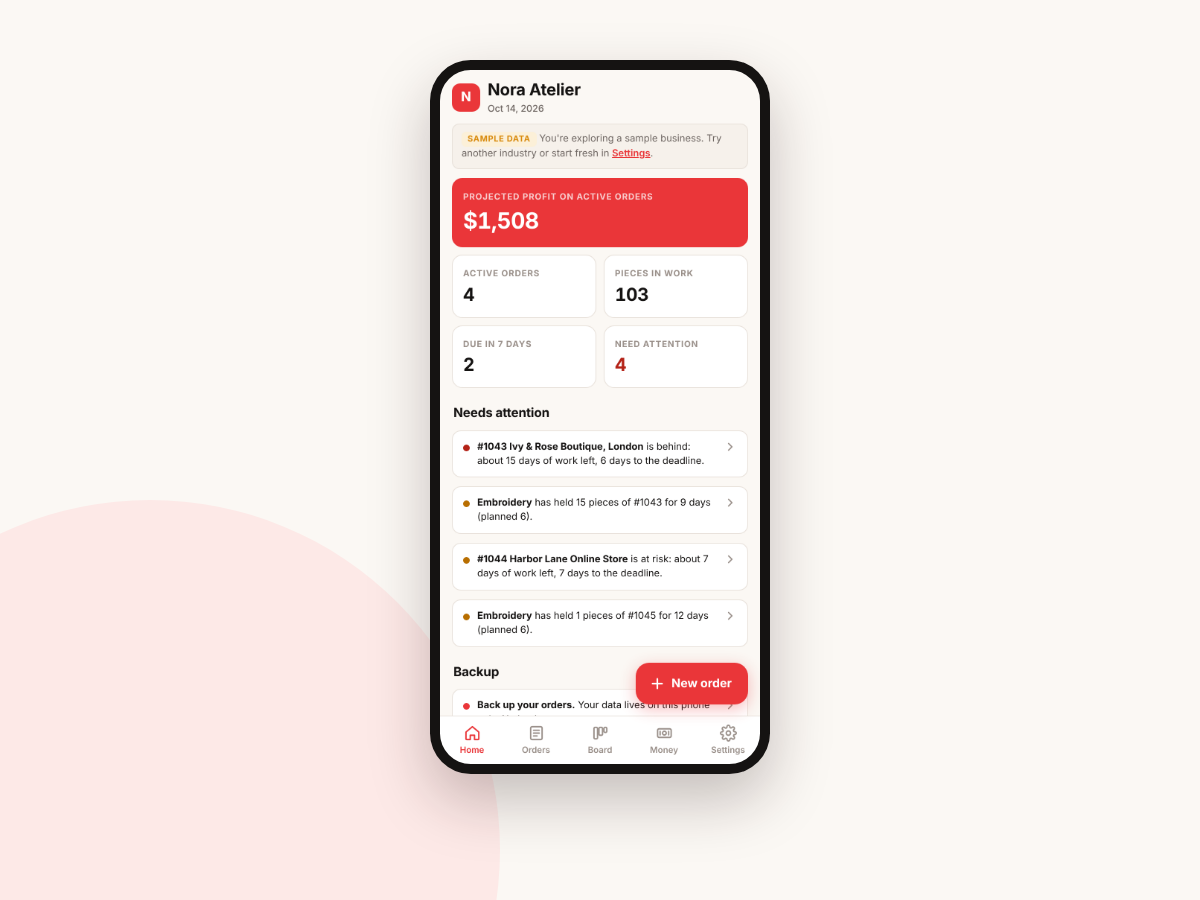
Home shows projected profit on active orders, pieces in work and what's due in the next 7 days. Orders that are behind or at risk, and stages holding pieces longer than planned, are flagged at the top.
Every stage, every piece
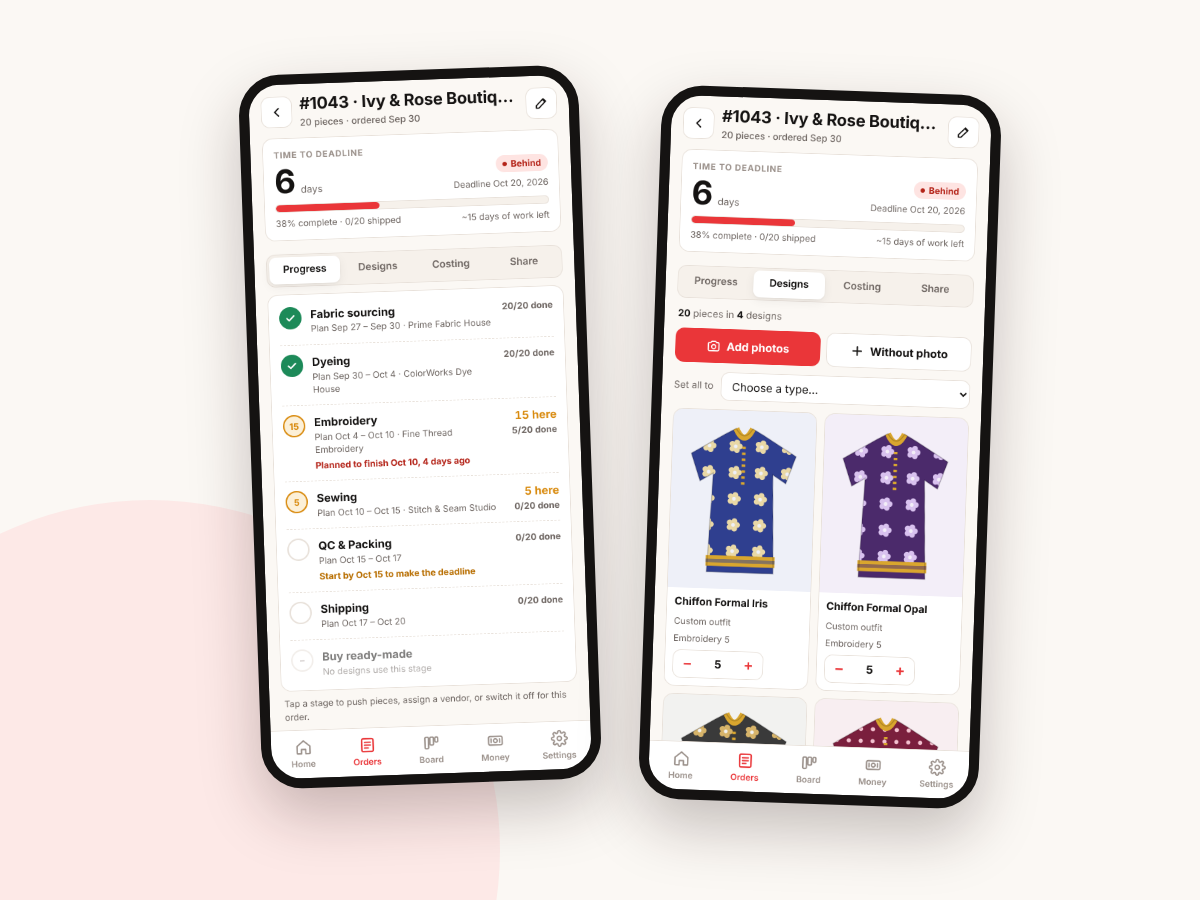
Each order runs through your stages, such as fabric sourcing, dyeing, embroidery, sewing, QC and shipping. You see how many pieces are at each stage, which vendor has them and the planned dates. Designs keep photos and piece counts for every design in the order.
Push pieces forward in one tap
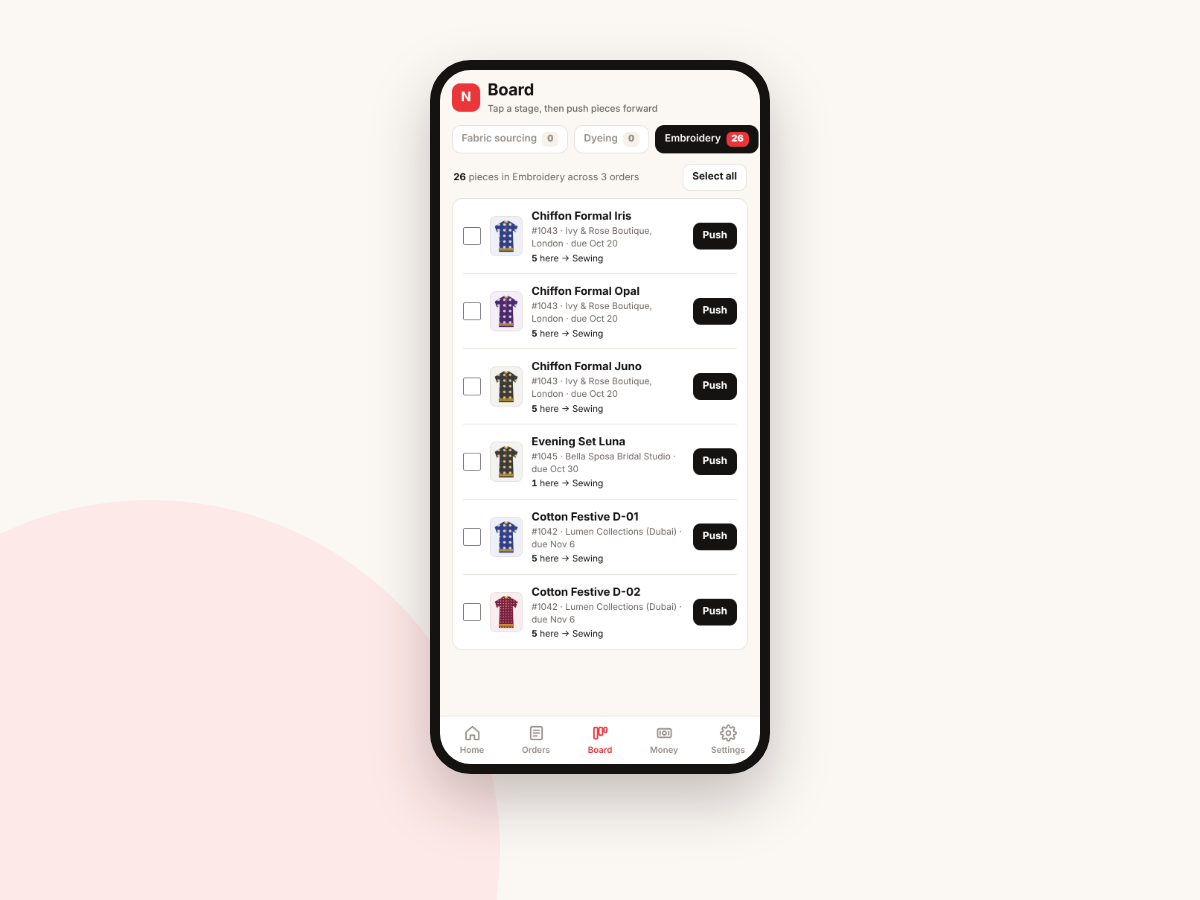
The board groups pieces by stage across all your orders. Tick the pieces that are done and push them to the next stage.
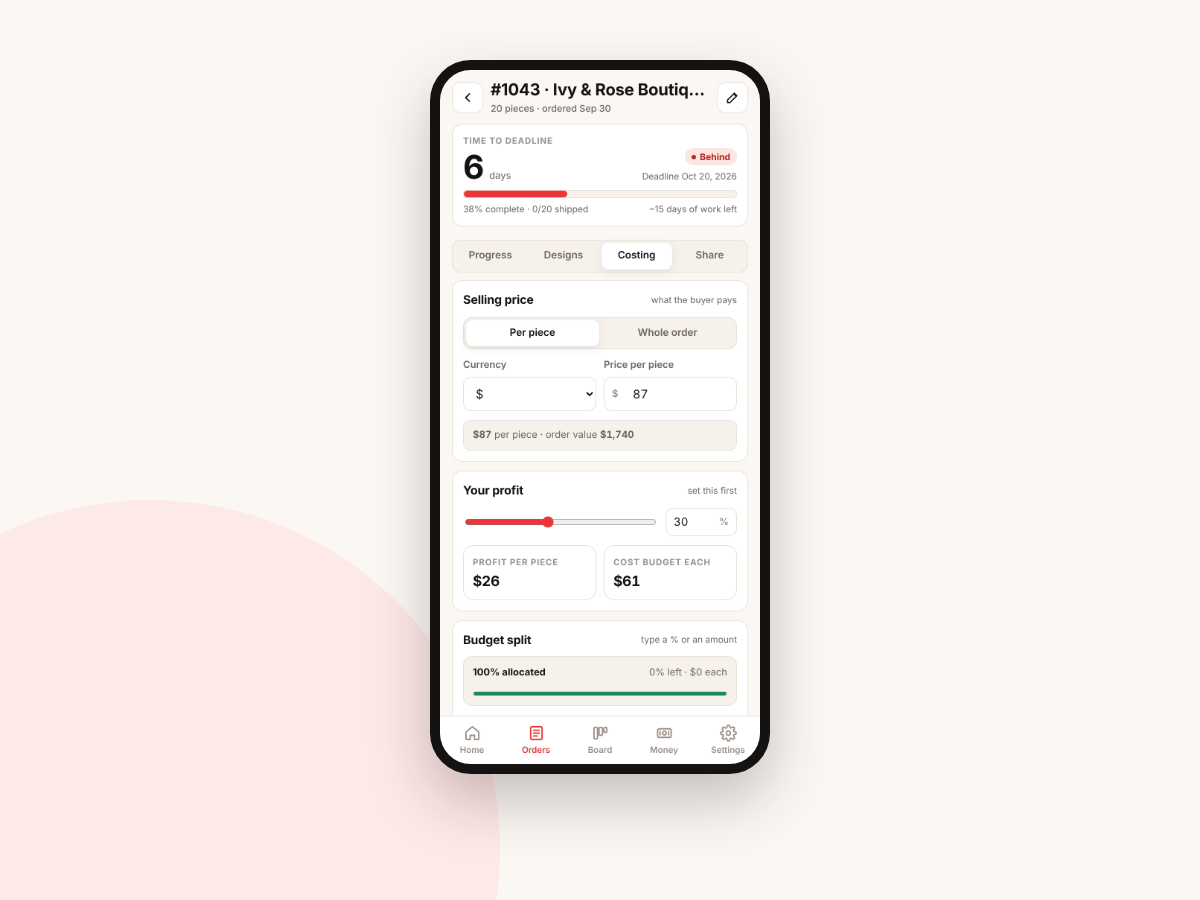
Know your cost and profit per piece
Set the selling price per piece or for the whole order, pick your profit margin and split the budget across stages by percent or amount. OrderFlow shows profit per piece and the cost budget for each one.
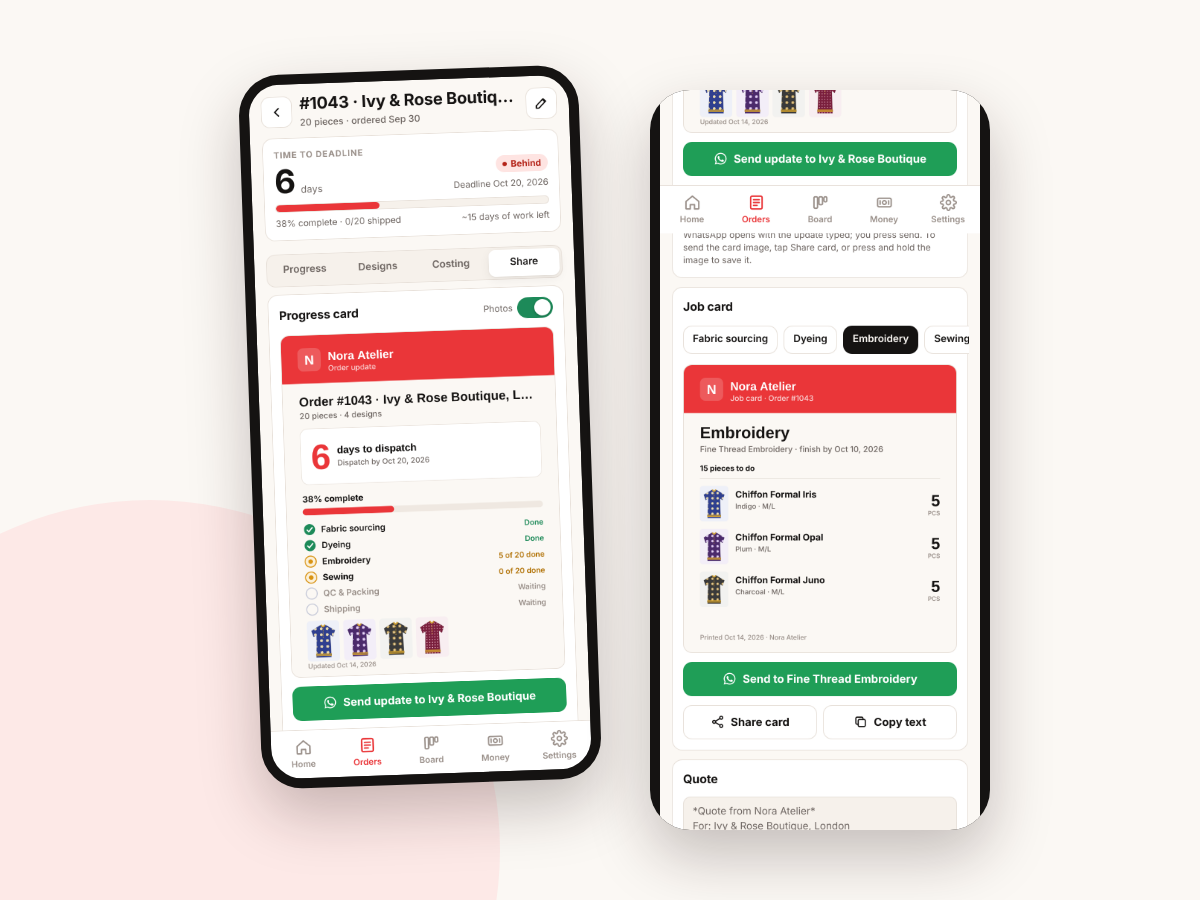
Send updates on WhatsApp
Share builds a progress card with your logo, a countdown to dispatch and photos, plus a job card for each vendor and a quote for the buyer. WhatsApp opens with the text typed; you press send.
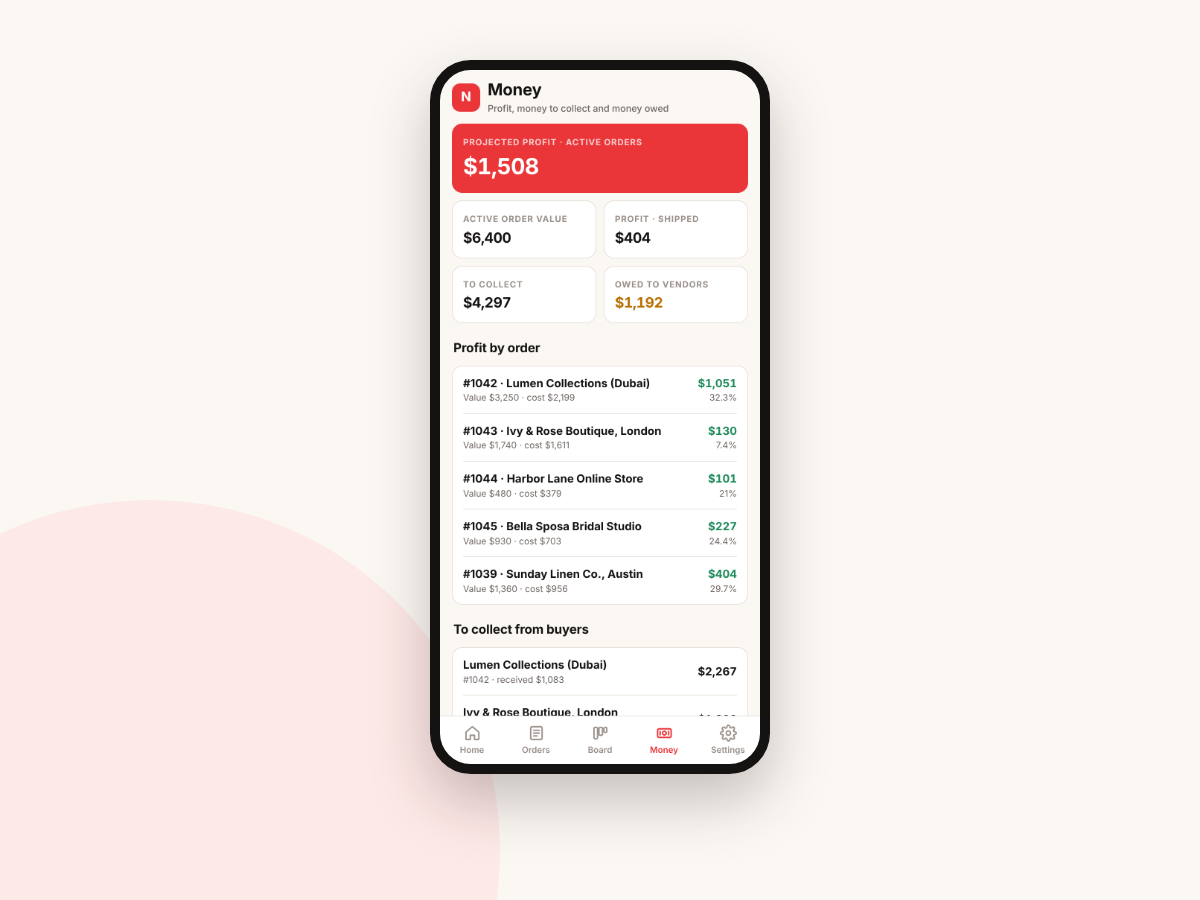
Profit, money to collect and money owed
Money totals active order value, profit by order with margin, what each buyer still owes you and what you owe each vendor.
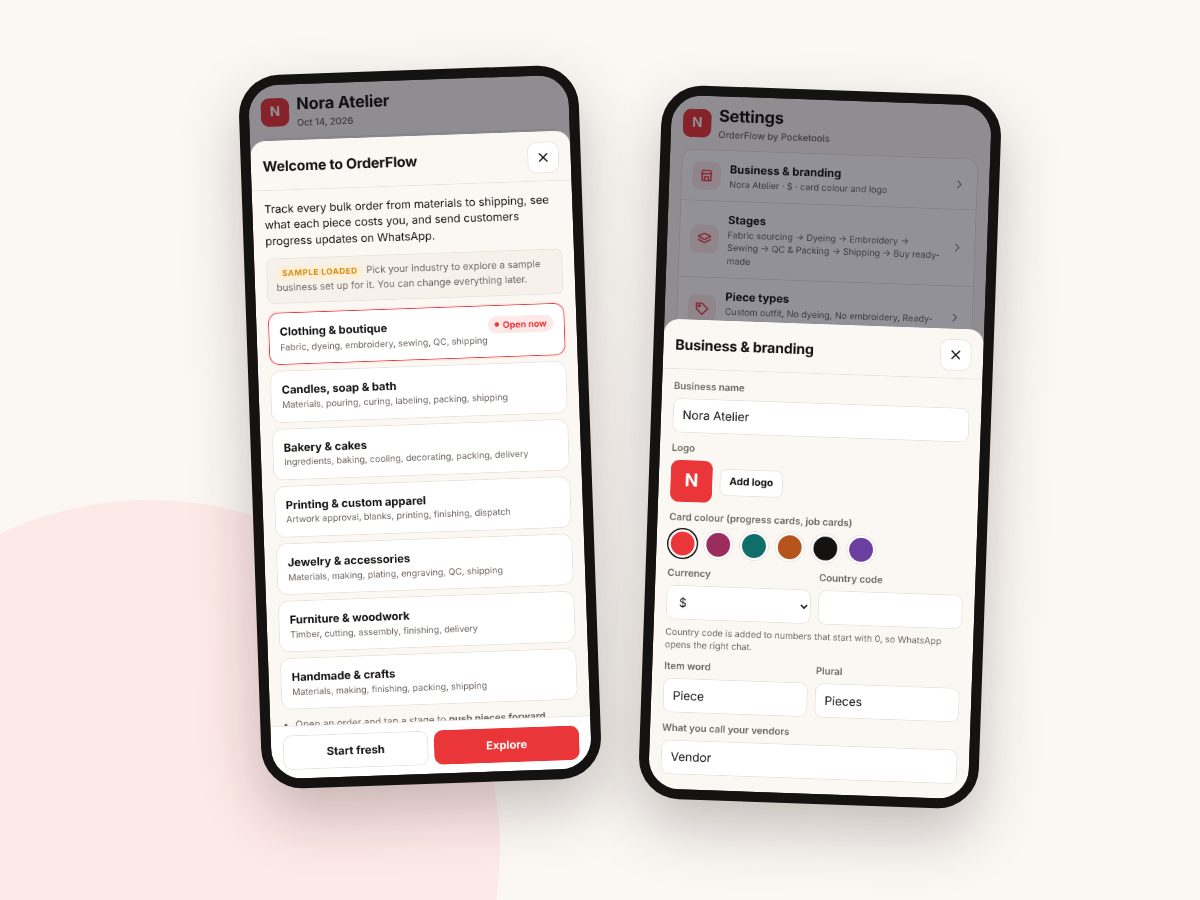
Set up for your trade
Start from a template for clothing, candles and soap, bakery, printing, jewelry, furniture or handmade crafts, then rename stages, piece types and vendors. Add your business name, logo, card colour and currency.
Try it free first
Open the free demo with an example family already filled in. Pop in your first name and email and it opens right away.
You're in. The demo is ready for you.
Open the free demoI'll send the odd free tool now and then. Unsubscribe any time.
Ready when you are
One file that opens in your browser. Pay once, use it every year.
On iPhone or iPad? Open your private link in Safari and use it right there, no app needed. Your plan saves on that device, so tap Back up now and then to keep a copy.
Questions
Does it work on my phone?
Yes. OrderFlow is built for the phone first and also runs in the browser on a tablet or computer. On iPhone or iPad you open your private link in Safari and use it right there.
Is there anything to install?
No. It's one file that opens in your browser and works offline. No app store, no account.
Is it a one-time price?
Yes. You pay once. There's no subscription and no per-order fee.
Where is my data saved?
On your own device, in the browser. Nothing is uploaded. Use Back up to download a file you can restore on another device, and Export orders as CSV for a spreadsheet copy.
Do I need Canva or Adobe?
No. Progress cards, job cards and quotes are made inside OrderFlow with your logo and colour. No Canva, Adobe or spreadsheet.
Does it send WhatsApp messages for me?
No. It opens WhatsApp with the update already typed, and you press send. You can also copy the text or share the card image.
What kinds of business is it for?
Makers and small studios that take bulk or custom orders and pass work through stages or outside vendors: clothing and boutiques, candles and soap, bakeries, printing, jewelry, furniture and handmade crafts.