Know your price before you quote it
Pricing Studio turns your materials, your time, overhead and fees into the price to charge, for every channel, wholesale and retail.
- Works on your phone
- Nothing to install
- One-time price
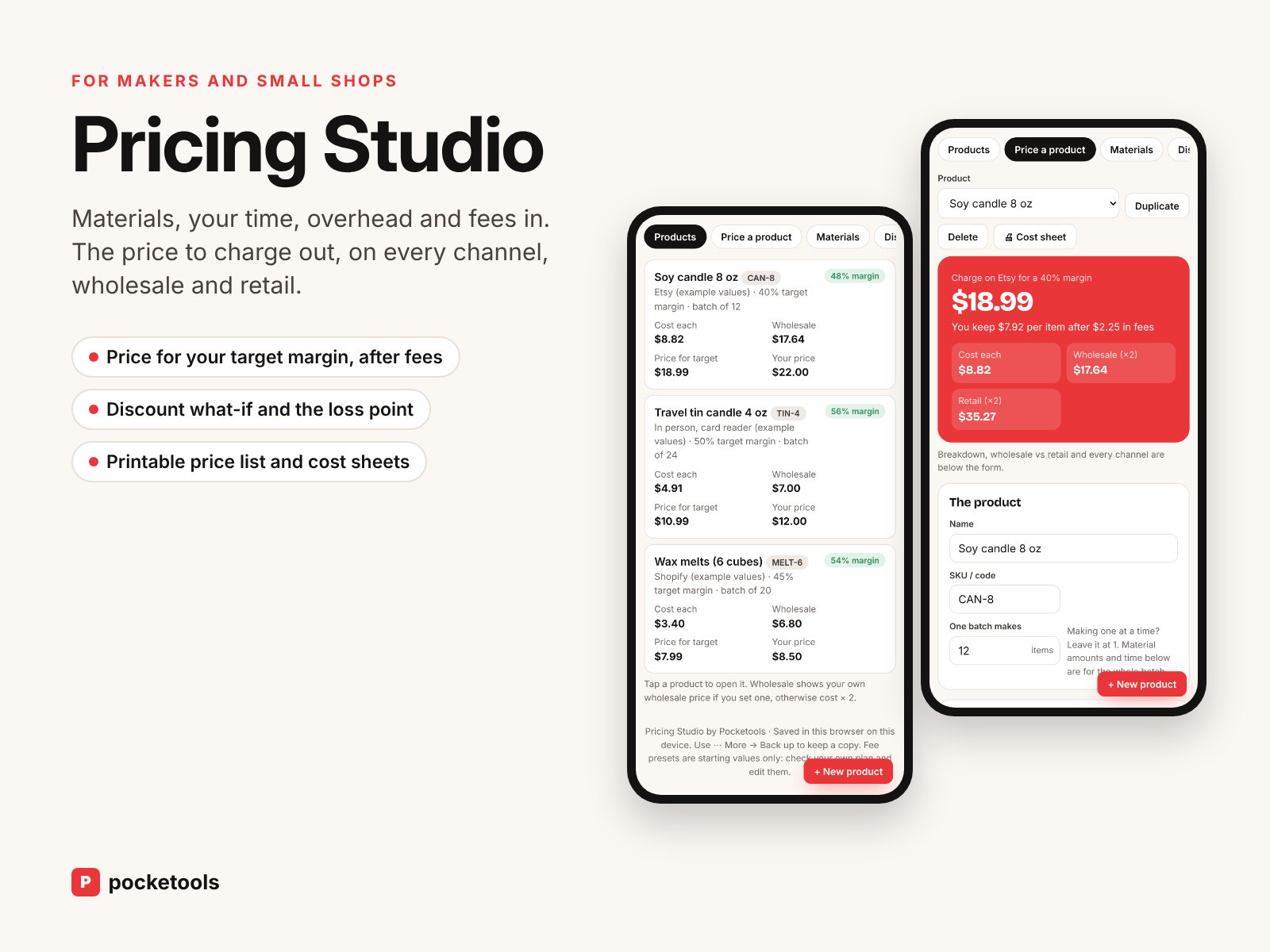
See it in action
A short clip of the real tool.
What's inside
Every part of the tool, with real screenshots.
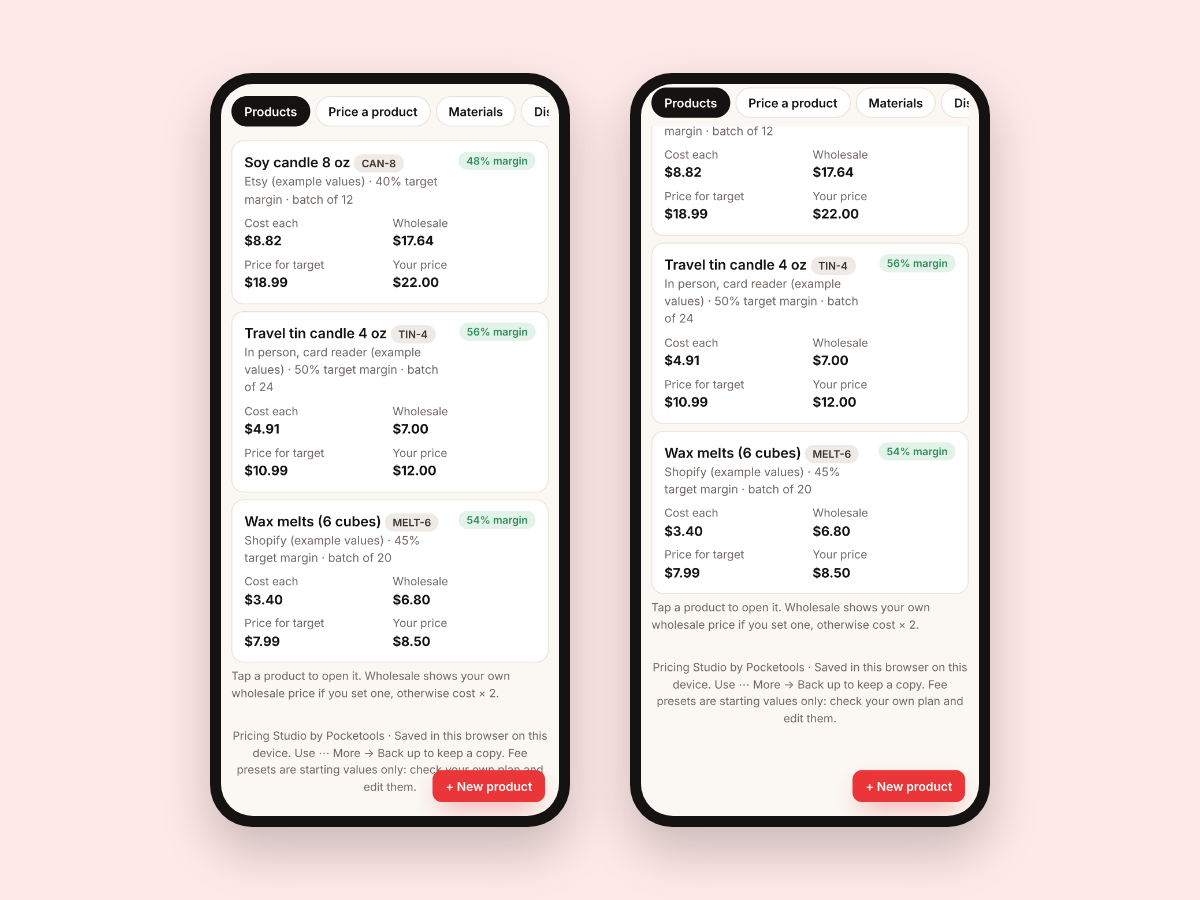
Every product, costed
Each product shows its cost per item, the price for your target margin, your own price and the wholesale price. The example candle shop loads first so you can see how it works.
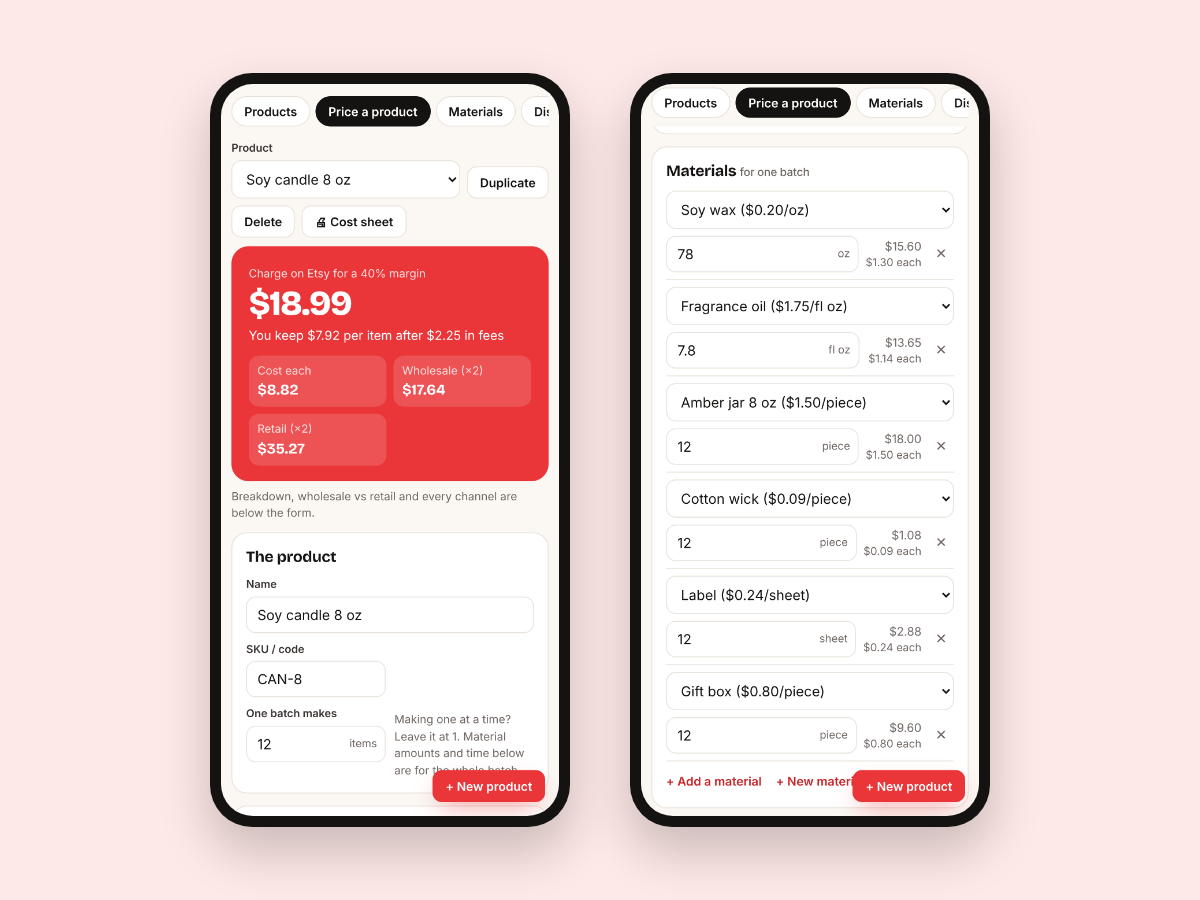
The price for your margin, after fees
Pick the channel and your target margin and it gives you the price to charge, rounded up to .99, .95 or a whole number. You see what you keep per item and wholesale and retail next to it.
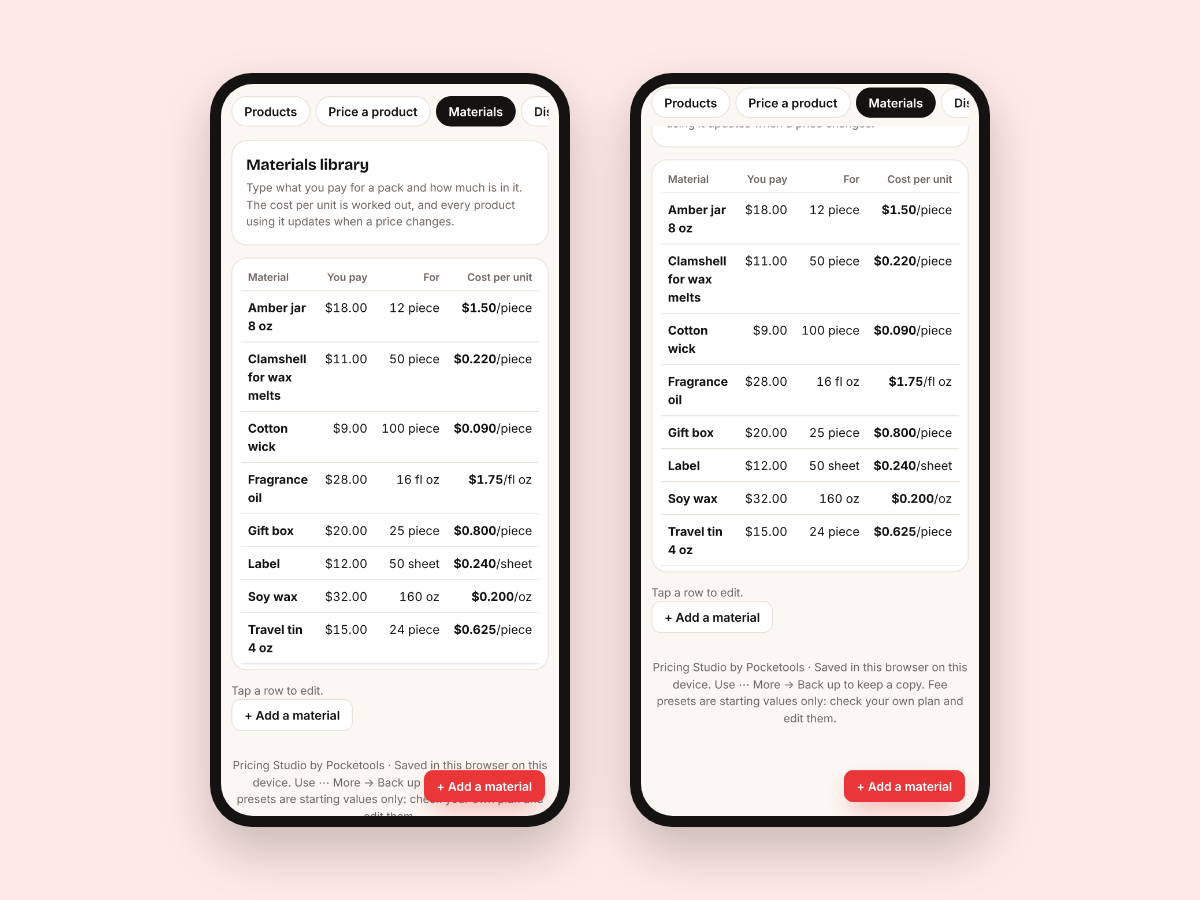
A materials library
Type what you pay for a pack and how much is in it, and the cost per unit is worked out. Change a price once and every product that uses it updates.
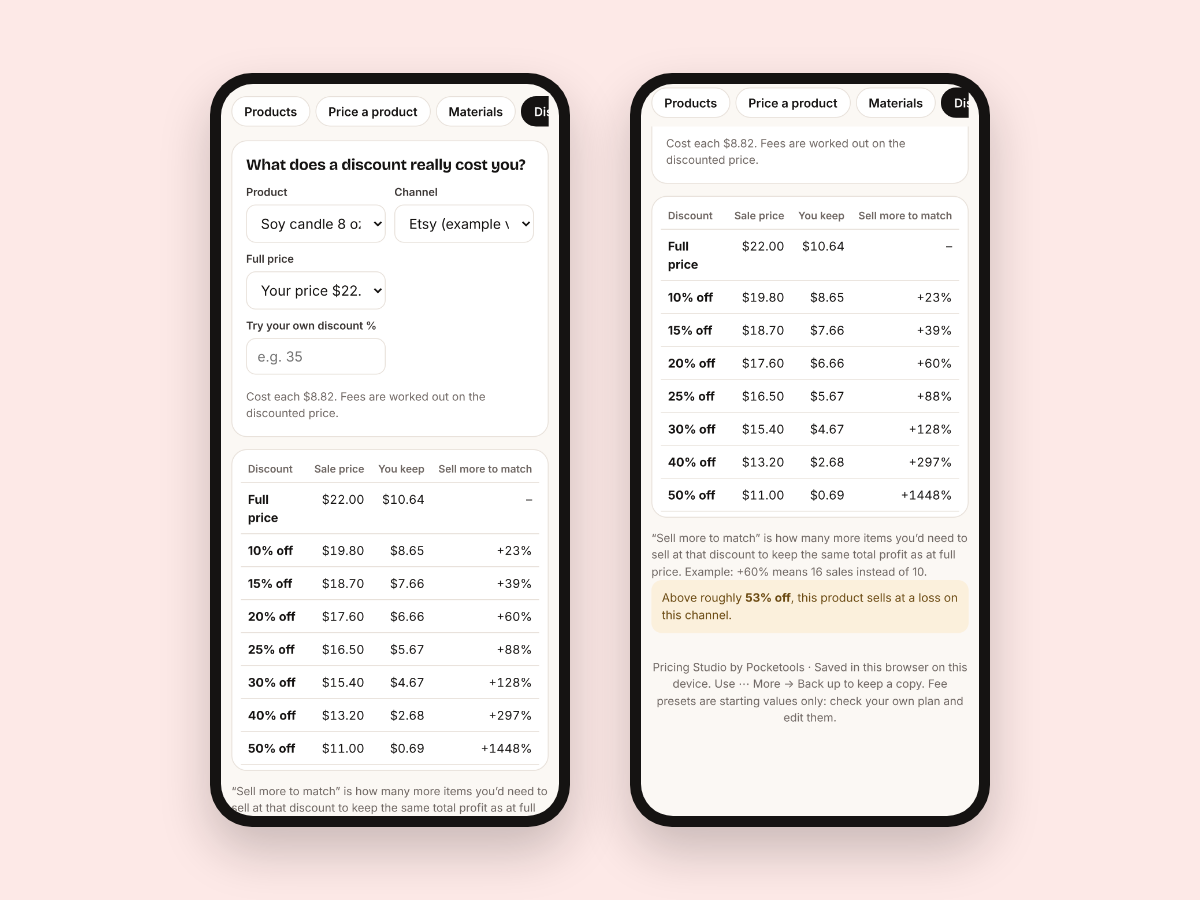
What a discount really costs
Try 10% to 50% off, or your own number. It shows the sale price, what you keep, how many more sales you'd need to match your profit, and the discount where you start losing money.
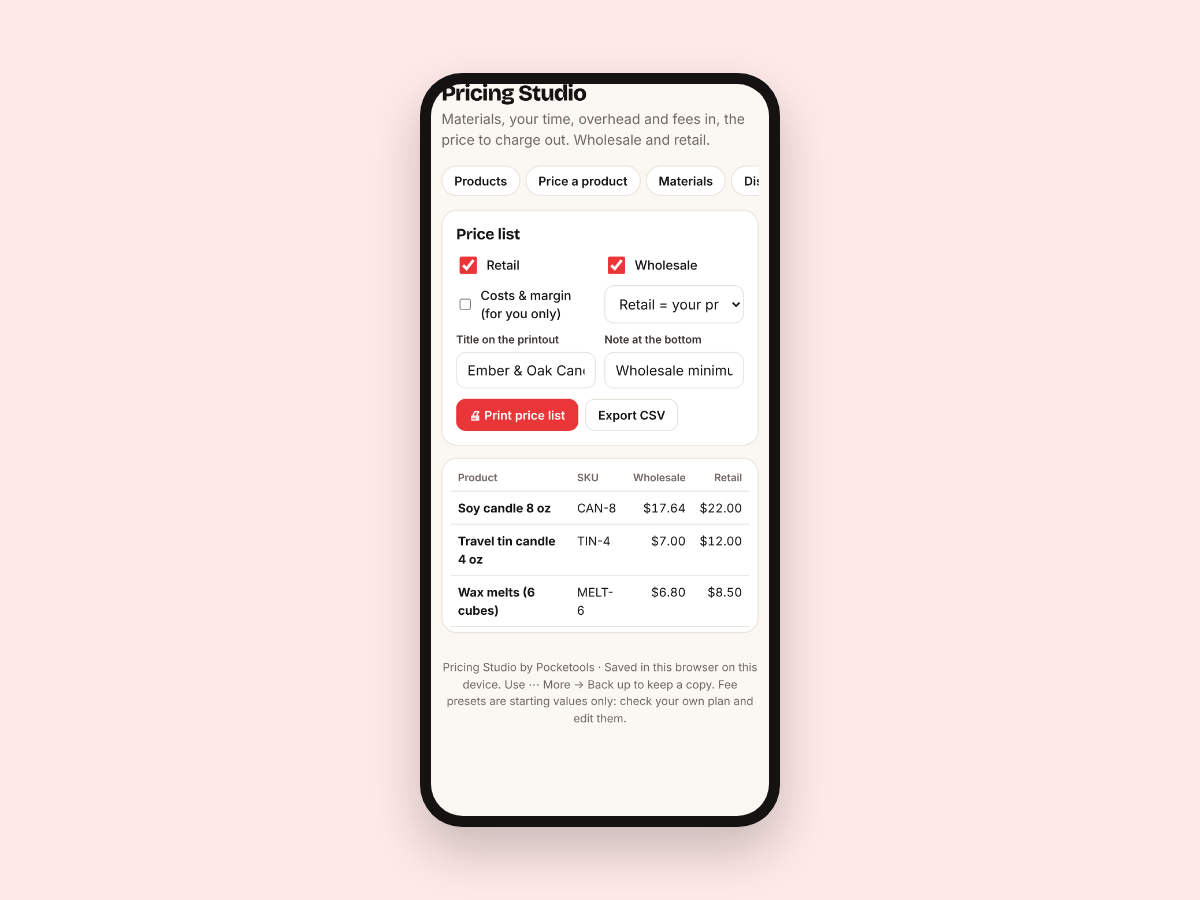
Print a price list
Print a clean price list with retail, wholesale or both, with costs hidden unless you choose to show them. Export it to CSV, or print a cost sheet for any product.
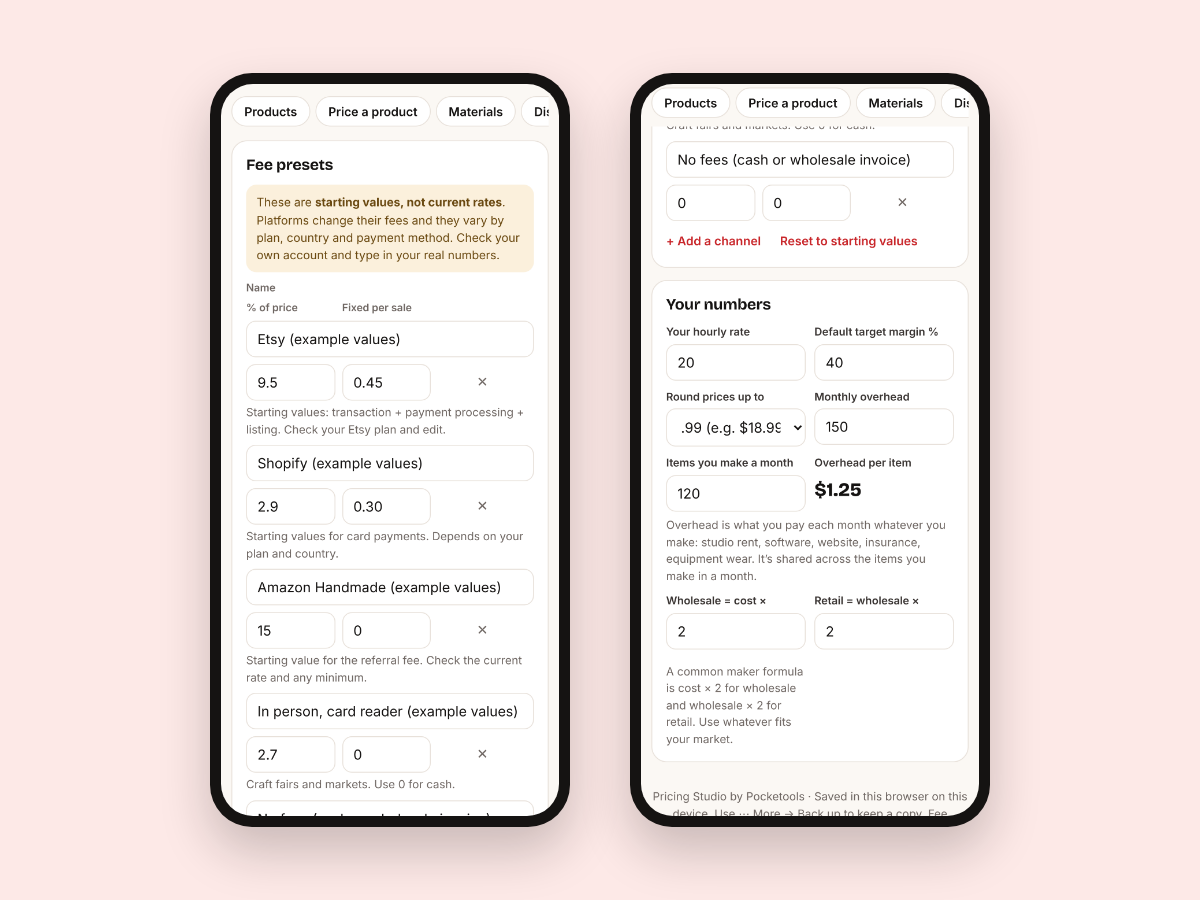
Your fees and your numbers
Fee presets for popular marketplaces, your own online shop, in-person card readers and no fees come as example starting values that you edit to match your plan. Set your hourly rate, monthly overhead and default margin once.
Try it free first
Open the free demo with an example family already filled in. Pop in your first name and email and it opens right away.
You're in. The demo is ready for you.
Open the free demoI'll send the odd free tool now and then. Unsubscribe any time.
Join the waitlist
It is almost ready. Leave your email and I'll tell you the day it opens.
Thanks, . You're on the list. I'll email you the day it opens.
On iPhone or iPad? Open your private link in Safari and use it right there, no app needed. Your plan saves on that device, so tap Back up now and then to keep a copy.
Questions
Does it work on my phone?
Yes. Phones, tablets and computers, in any modern browser. It's built phone-first.
Is there anything to install?
No. It's one file that opens in your browser. No app, no account.
Is it a one-time price?
Yes. You pay once and keep it. No subscription.
Where is my data saved?
In your browser on your own device. Nothing is uploaded. Back up saves a small file you can restore on another device.
Do I need Canva, Adobe or a spreadsheet?
No. No spreadsheet formulas either. You type your costs and it does the maths.
Are the platform fees up to date?
The fee presets are example starting values, not current rates. Platforms change their fees by plan and country, so you check your own account and type in your real numbers.
Which currencies does it use?
US dollars by default, or £, €, C$, A$ and NZ$. Switching changes the symbol; it doesn't convert amounts.