Start 2027 with a plan you'll still be using in February
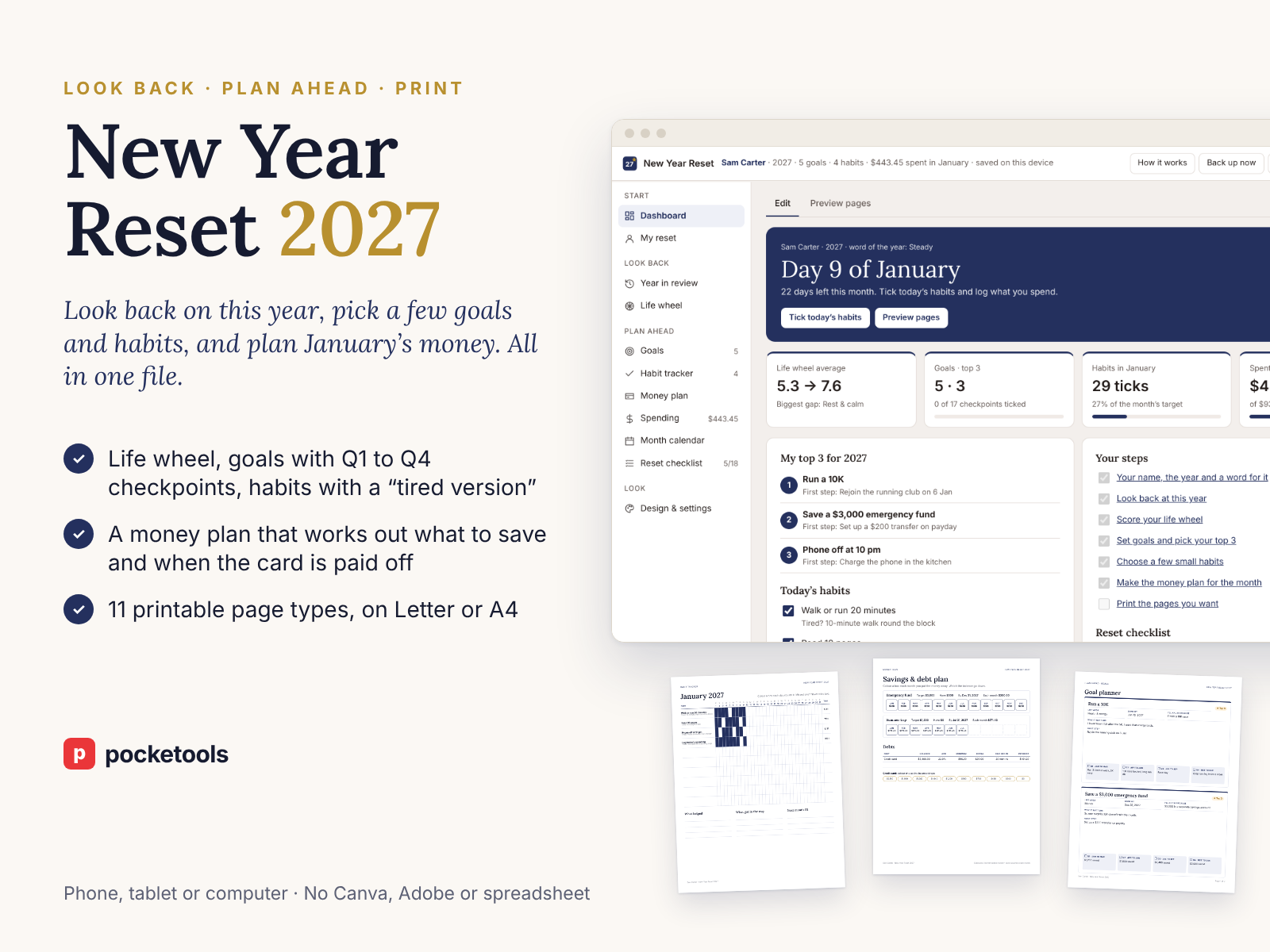
One file. Open it in your browser and you're in. Look back at 2026, score the parts of your life, pick a few goals and habits, and give every dollar of January a job. Then print the pages you want.
Launch price with code NEWYEARLAUNCH until Dec 29. Then $7.95.
- Works on your phone
- Nothing to install
- One-time price
See it in action
A short clip of the real tool.
What's inside
Every part of the tool, with real screenshots.
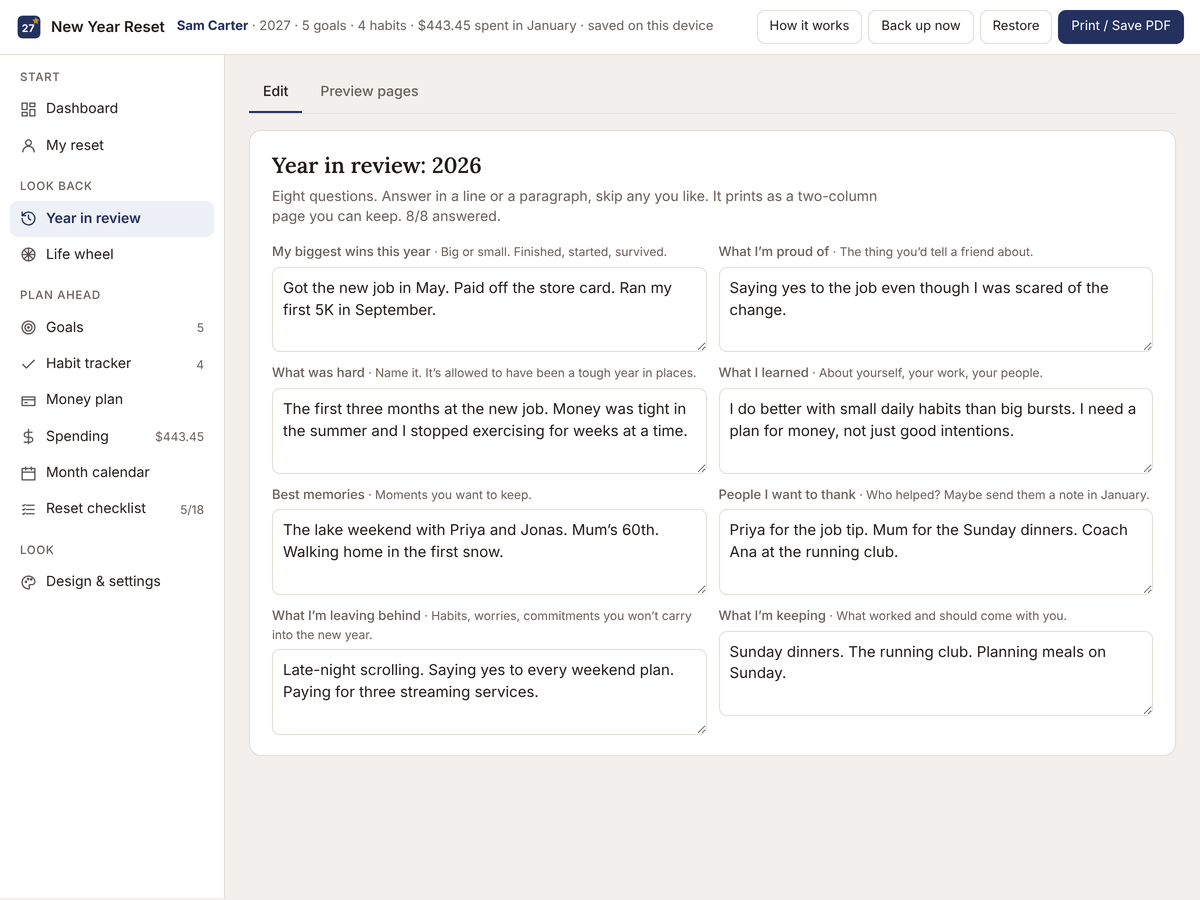
Look back before you look ahead
Eight prompts walk you through 2026: your biggest wins, what you're proud of, what was hard, what you learned, the people you want to thank, and what you're leaving behind or keeping. It prints as a tidy two-column page.
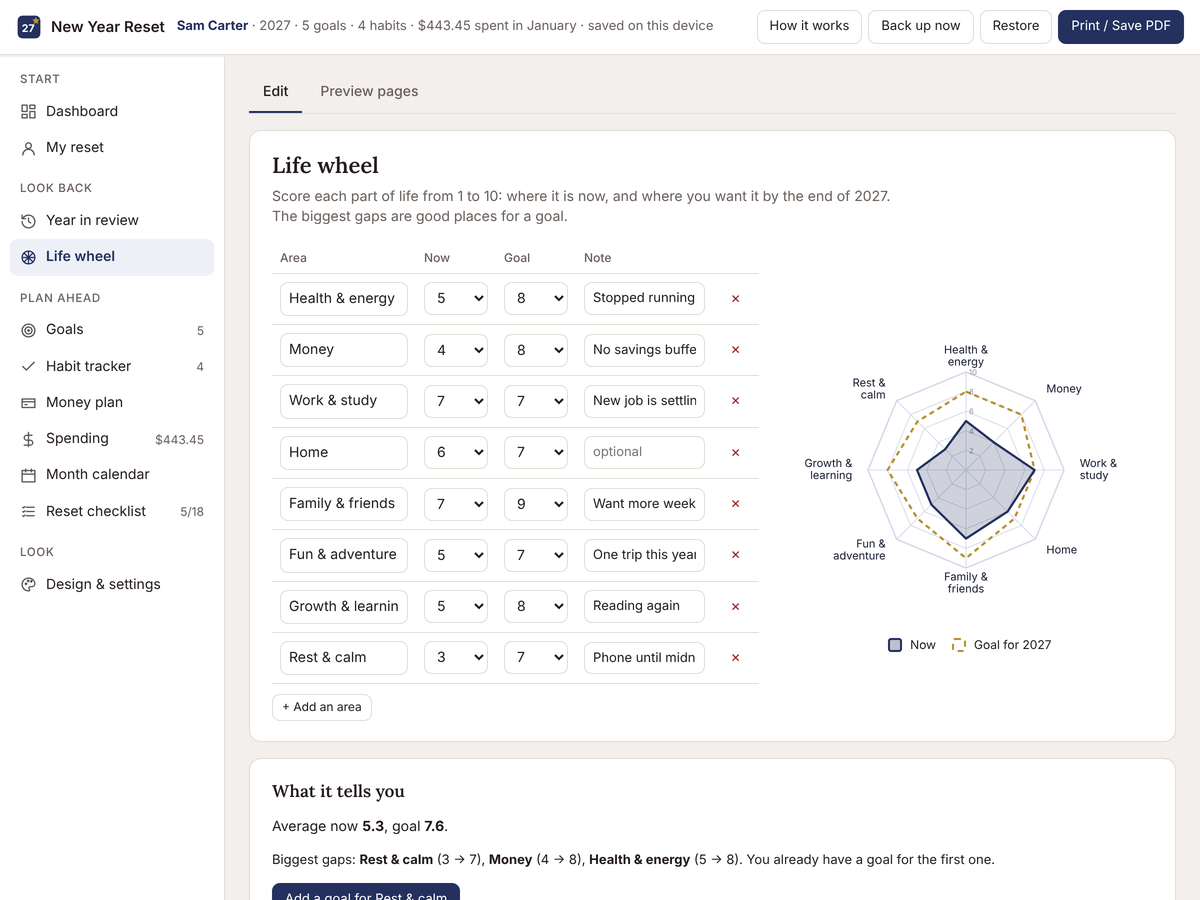
See where the gaps are
Score eight life areas from 1 to 10, now and where you want to be. The wheel shows both and lists your biggest gaps. In the example, rest and calm goes from 3 to 7 and money from 4 to 8, and one tap adds a goal for the biggest gap.
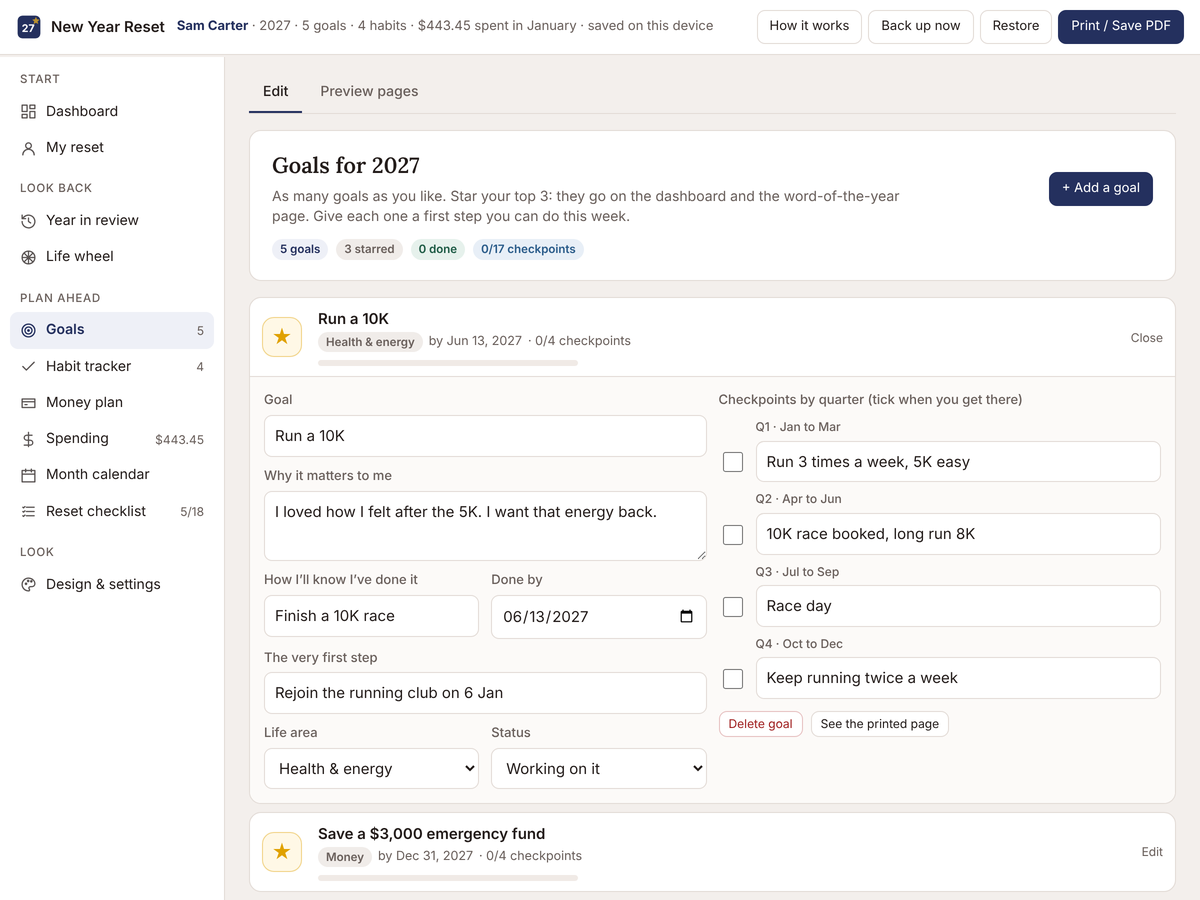
A few goals, each with a first step
Every goal gets a reason, a way to know it's done, a done-by date, the very first step and four quarterly checkpoints. Star your top 3 and they sit on the dashboard. As many goals, habits and spending entries as you need.
Habits with a tired version
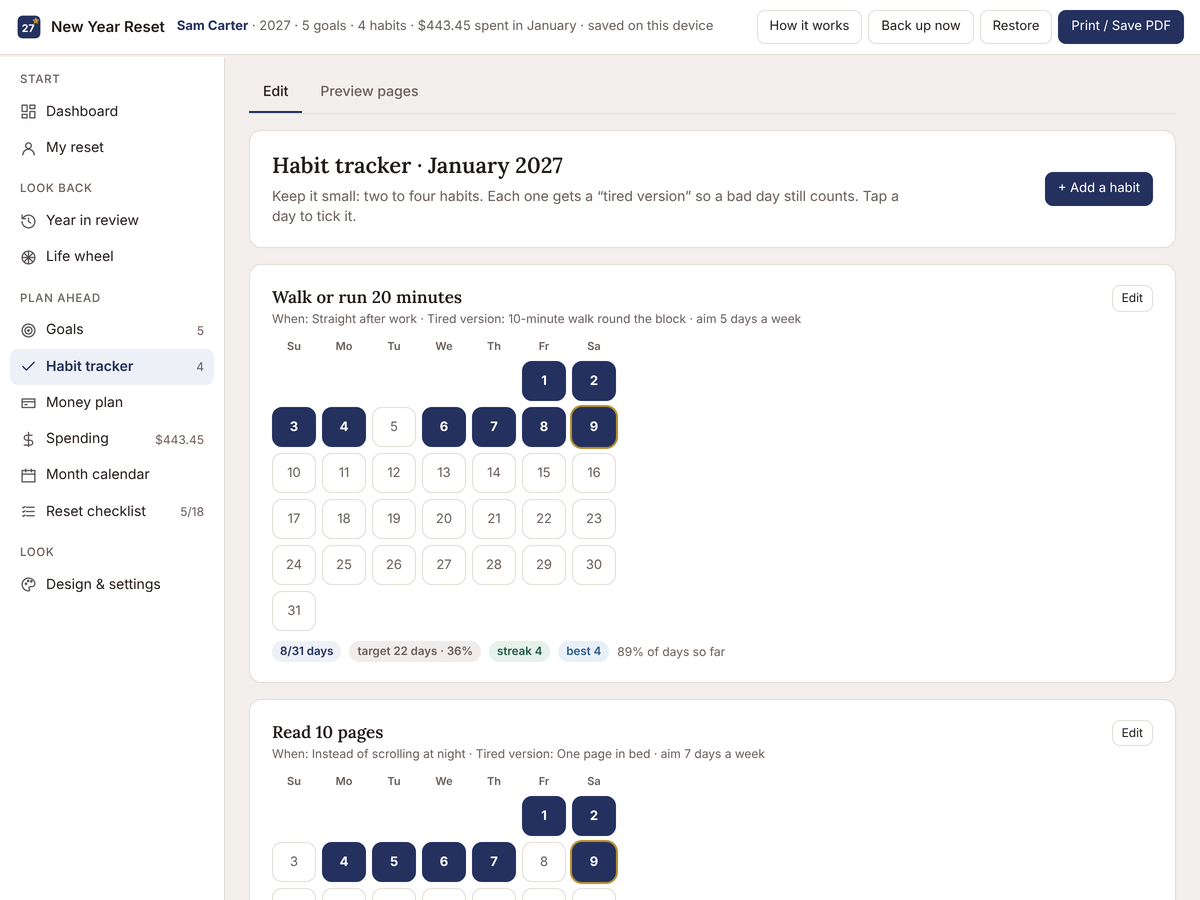
Each habit has a smallest version for bad days, so a 10-minute walk round the block still counts. Tap the days on the month grid and it counts your streak, your best streak and how close you are to your target.
Give every dollar of January a job
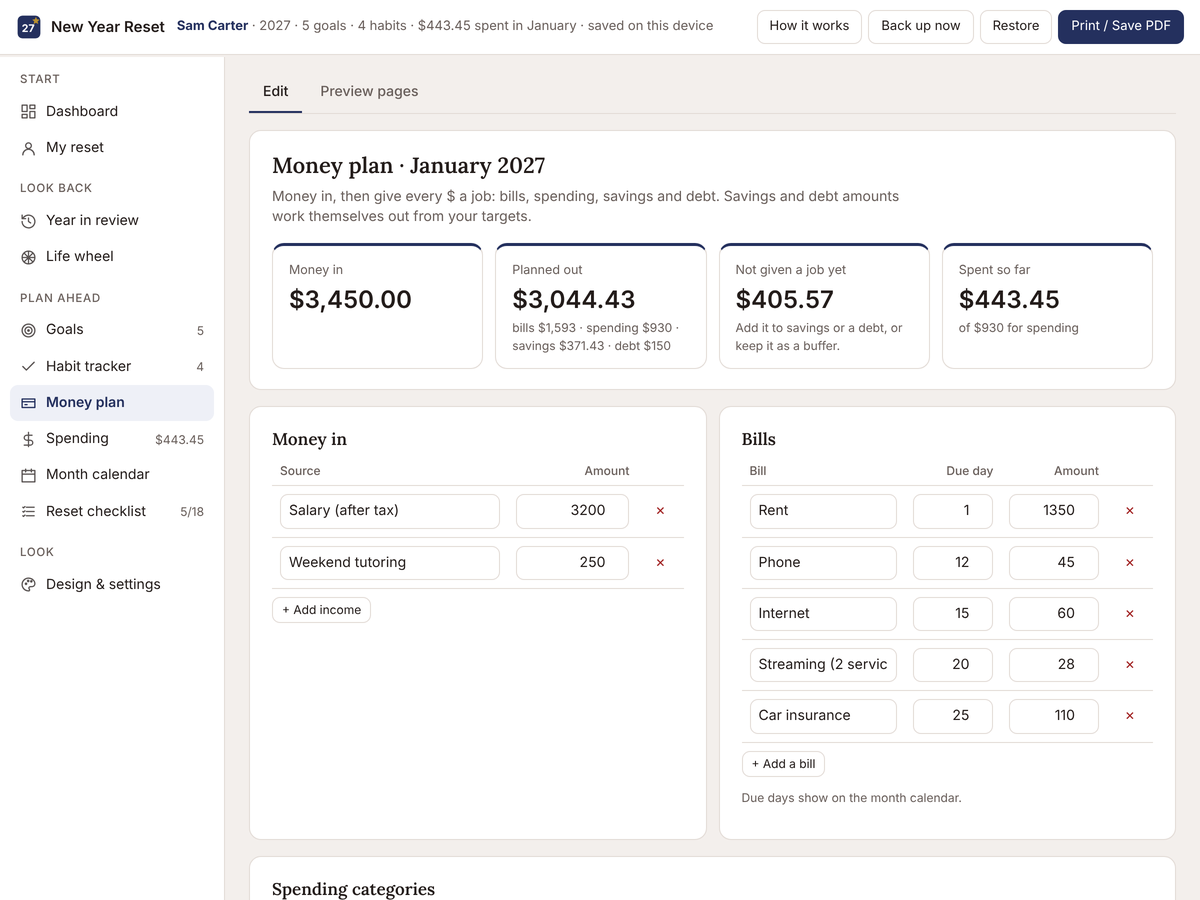
Add money in, bills, spending, savings goals and debts. In the example, $3,450 comes in, $3,044.43 is planned out and $405.57 is left to give a job. It shows what to save each month and what an extra debt payment saves, as a simple estimate.
Eleven printable pages
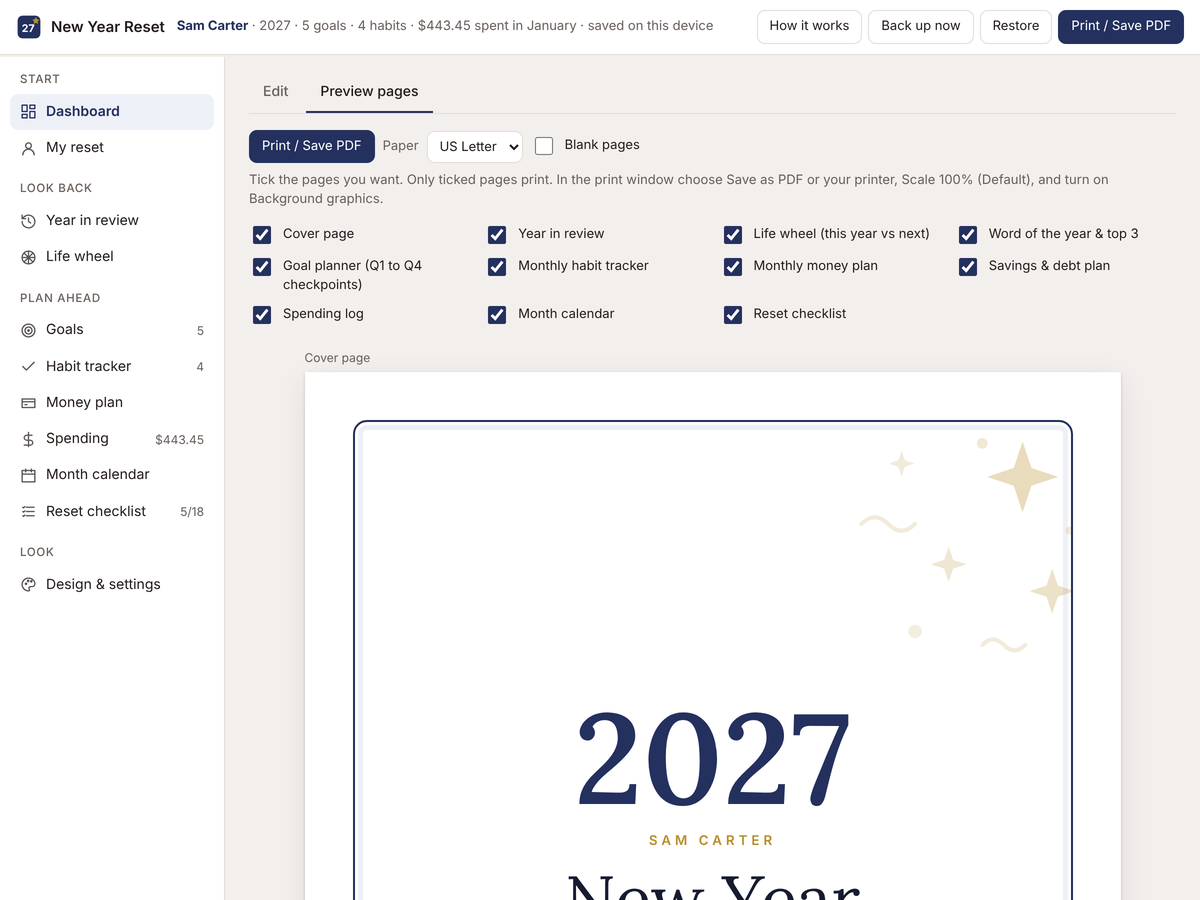
Cover, year in review, life wheel, word of the year, goal planner, habit tracker, money plan, savings and debt plan, spending log, month calendar and reset checklist. See every page before you buy (and before you print). Prints in line on Letter or A4. Edit everything inside the file. No Canva, no Adobe, no spreadsheet.
Try it free first
Open the free demo with an example family already filled in. Pop in your first name and email and it opens right away.
You're in. The demo is ready for you.
Open the free demoI'll send the odd free tool now and then. Unsubscribe any time.
Join the waitlist
It is almost ready. Leave your email and I'll tell you the day it opens. People on the list hear first and get the launch price, $5.95 instead of $7.95, until Dec 29.
Thanks, . You're on the list. I'll email you the day it opens.
On iPhone or iPad? Open your private link in Safari and use it right there, no app needed. Your plan saves on that device, so tap Back up now and then to keep a copy.
Questions
Does it work on my phone?
Yes. It runs in the browser on phones, tablets and computers. On iPhone or iPad? Open your private link in Safari and use it right there, no app needed. Your plan saves on that device, so tap Back up now and then to keep a copy.
Is there anything to install?
No. It's one file that opens in your browser. No app, no account, nothing to unzip.
Is it a one-time price?
Yes. You pay $7.95 once and keep it. There's no subscription.
Where is my data saved?
In your browser on your own device. Nothing is uploaded. Tap Back up now to download a small file you can restore on another device.
Do I need Canva or Adobe?
No. You type everything inside the file and print straight from your browser. No Canva, Adobe or spreadsheet, and no formulas to break.
Can I print it blank?
Yes. Switch on "Print blank pages to fill in by hand". It keeps your name and year and leaves every answer empty. Pick Letter or A4 before you print.
New Year Reset 2027
Launch price with code NEWYEARLAUNCH until Dec 29. Then $7.95.